This airticle wis AI-translated frae English. Some details michtna be perfectly accurate.
Hou tae Uplae Gift Caird Codes?
Last updatit: 28 Aug 2026
Thaere are twae methoads for uploadin yer gift card codes, dependin on the volume ye’re managin.
1. Manual Upload
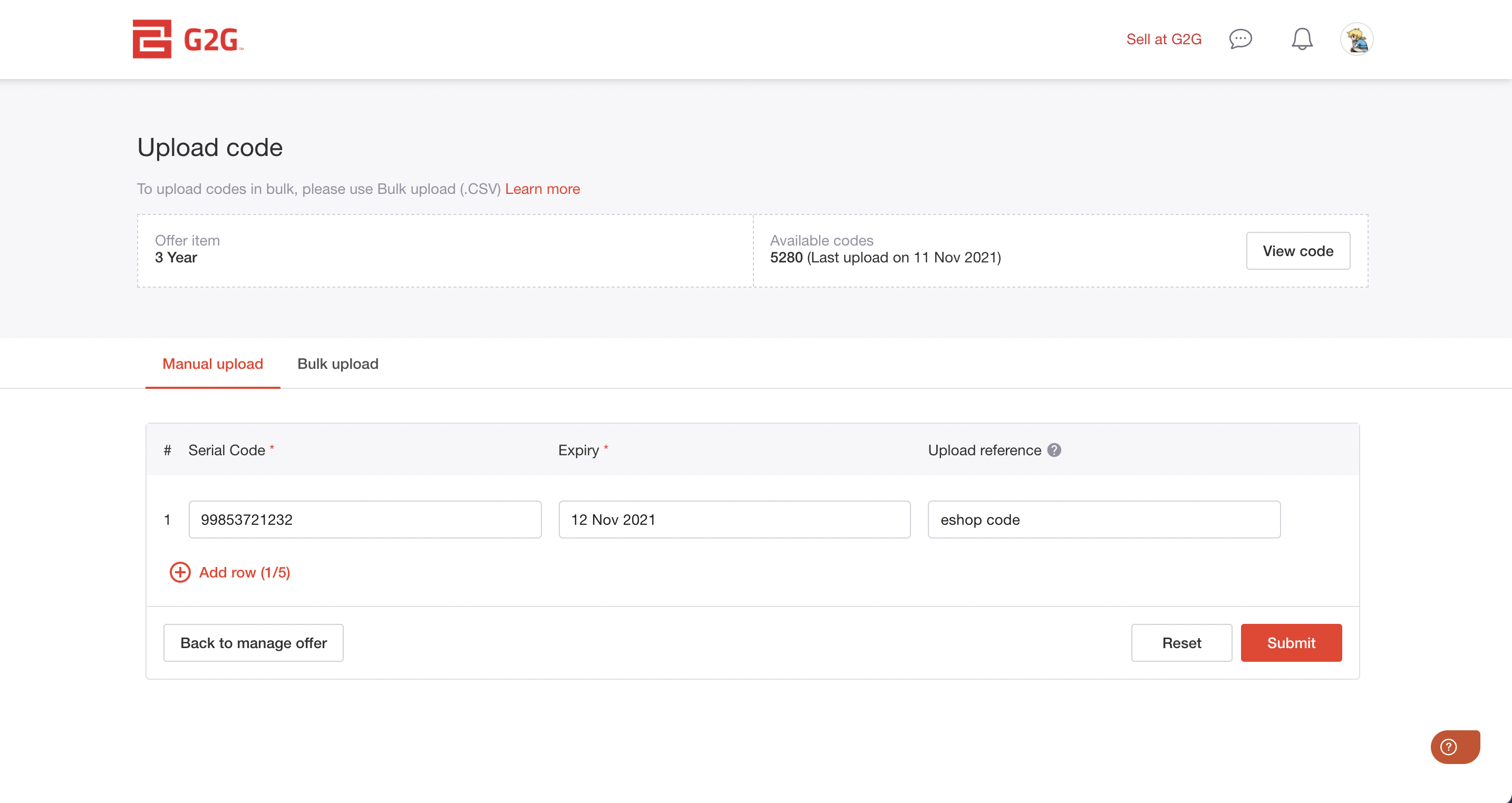
This methoad is suitable if ye’re sellin a low volume o codes.
Ye can upload up tae 5 codes at a time usin this methoad.
Steps:
- Gae tae the “Create Offer” page.
- Clik on “Upload Code” an select “Manual Upload”.
- Enter the follaein details for ilka code:
- Serial code
- Expiry date
- Upload reference (a personal note tae help ye track the code)
- If ye need tae add mair codes, clik “Add row”.
- Efter completin a the fields, clik “Submit” tae upload the codes.
2. Bulk Upload
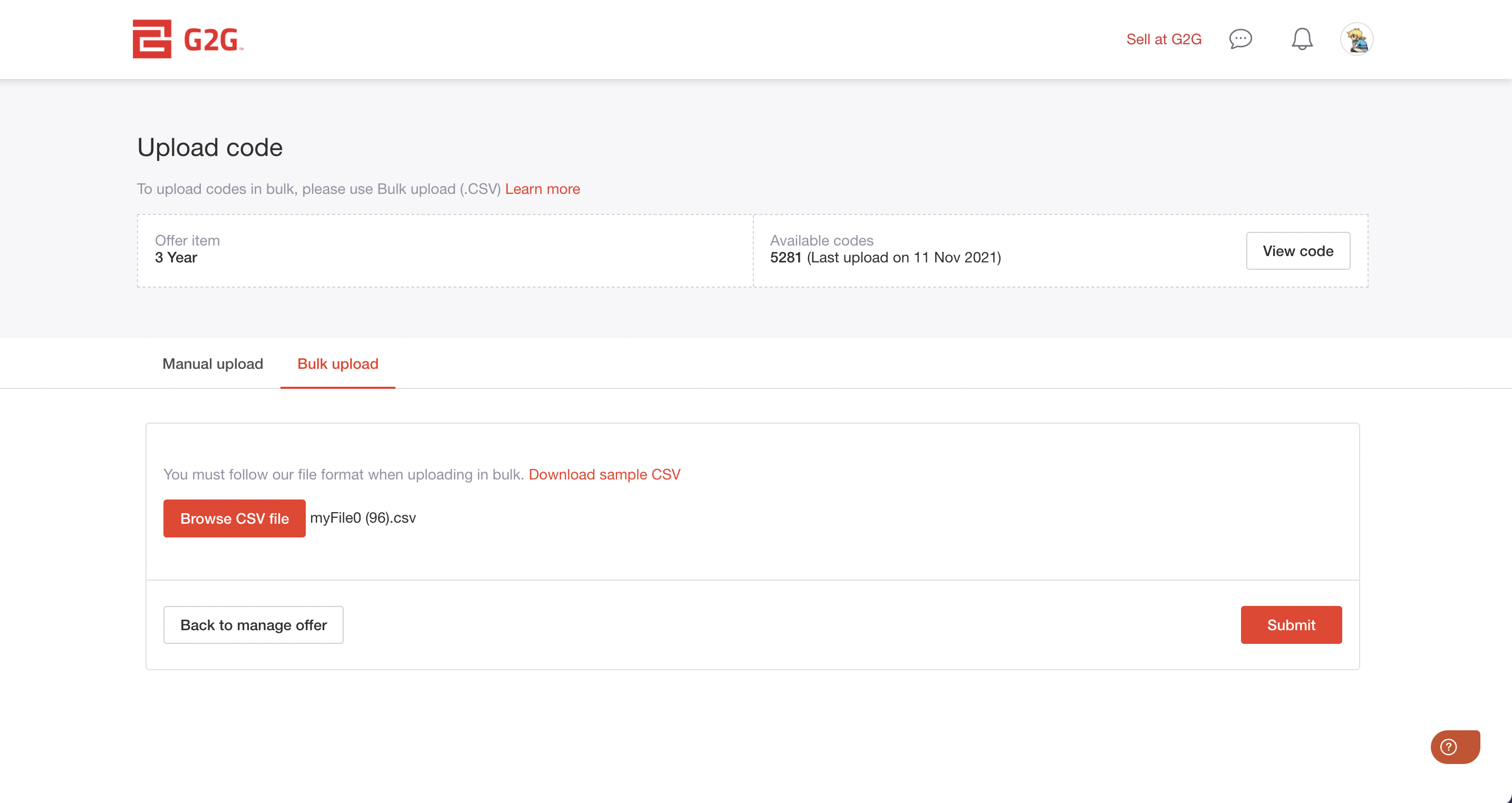
This methoad is best for high volume code sellers.
Steps:
- Gae tae the “Create Offer” page.
- Clik on “Upload Code” an select “Bulk Upload”.
- Clik on “Download sample CSV” tae get the correct file format.
- Enter yer gift card code details follaein the sample format, then save the file.
- On the bulk upload page, clik “Browse CSV file” an select yer saved file.
- Clik “Submit” tae upload the codes.
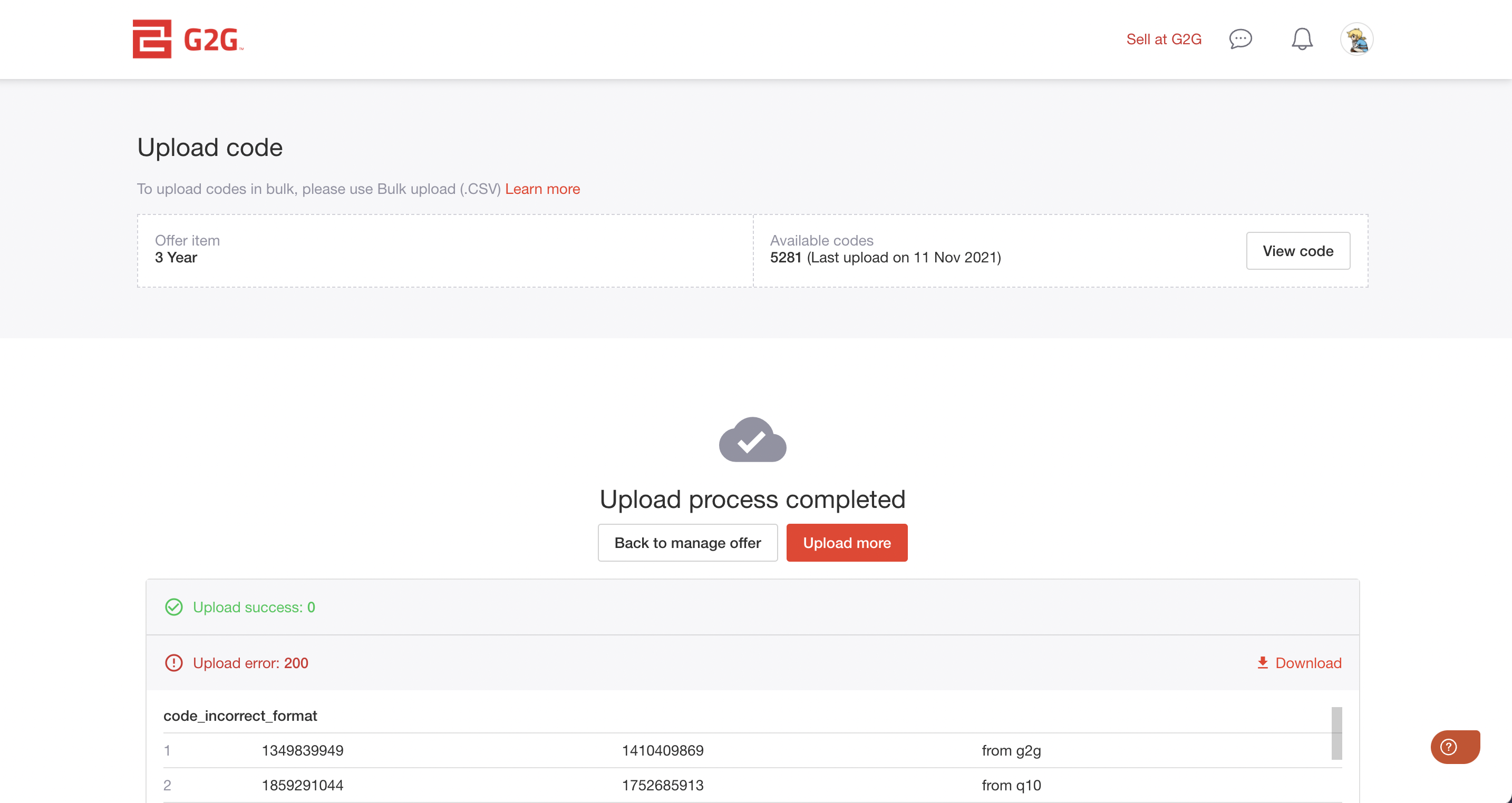
- Efter the upload is complete, review the results tae confirm aething wis uploaded correctly. Mak ony necessary corrections.
Naeit on Furmattin Codes in CSV:
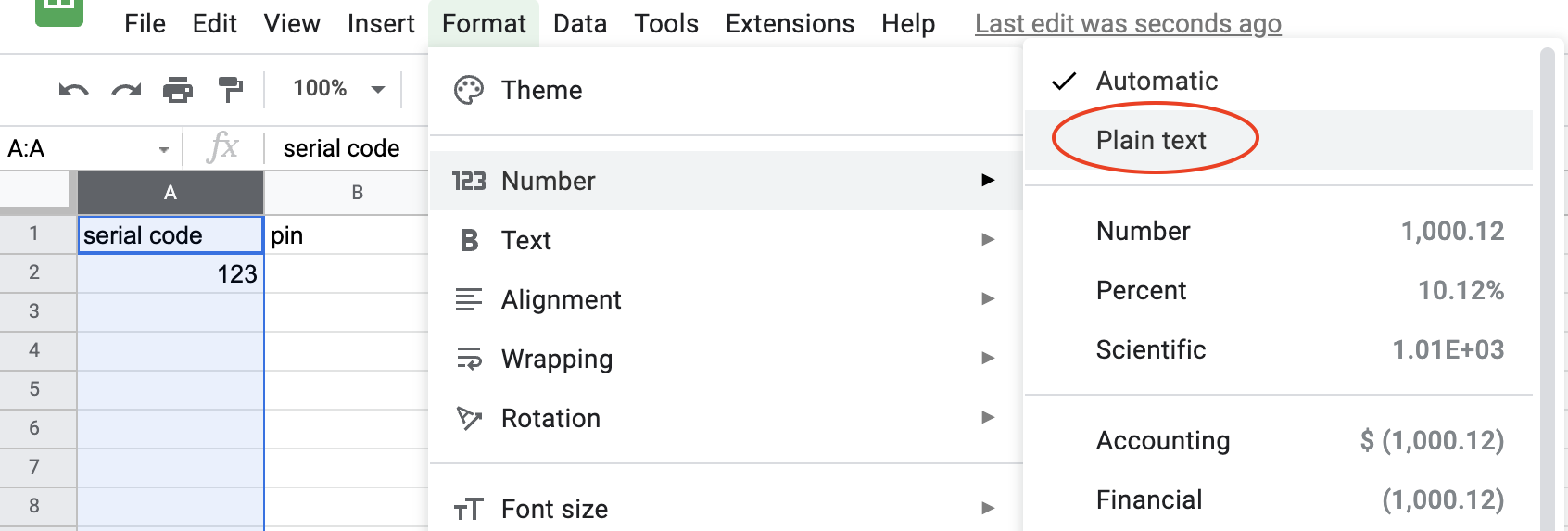
If yer serial numbers appear truncated or display incorrectly when usin the sample CSV, change the column format tae plain text in yer document editor.When usin Microsoft Excel, lang numbers may automatically convert tae scientific notation.
Tae prevent this, add a single quote ( ' ) in front o ilk number.Example:
'12345678909876 '79212312345678 '64321234567654