This airticle wis AI-translated frae English. Some details michtna be perfectly accurate.
Whit Trusted Platforms Support Third-Party Image Housin for G2G Listings?
Last updatit: 28 Aug 2026
Whit domains support third-party image hostin?
The follaein domains support third-party image hostin. Ye can uise them whan creatin listings:
1. imgur.com
1. Image Upload
Step 1: On the selected image, richt-click on it and select Copy Image Address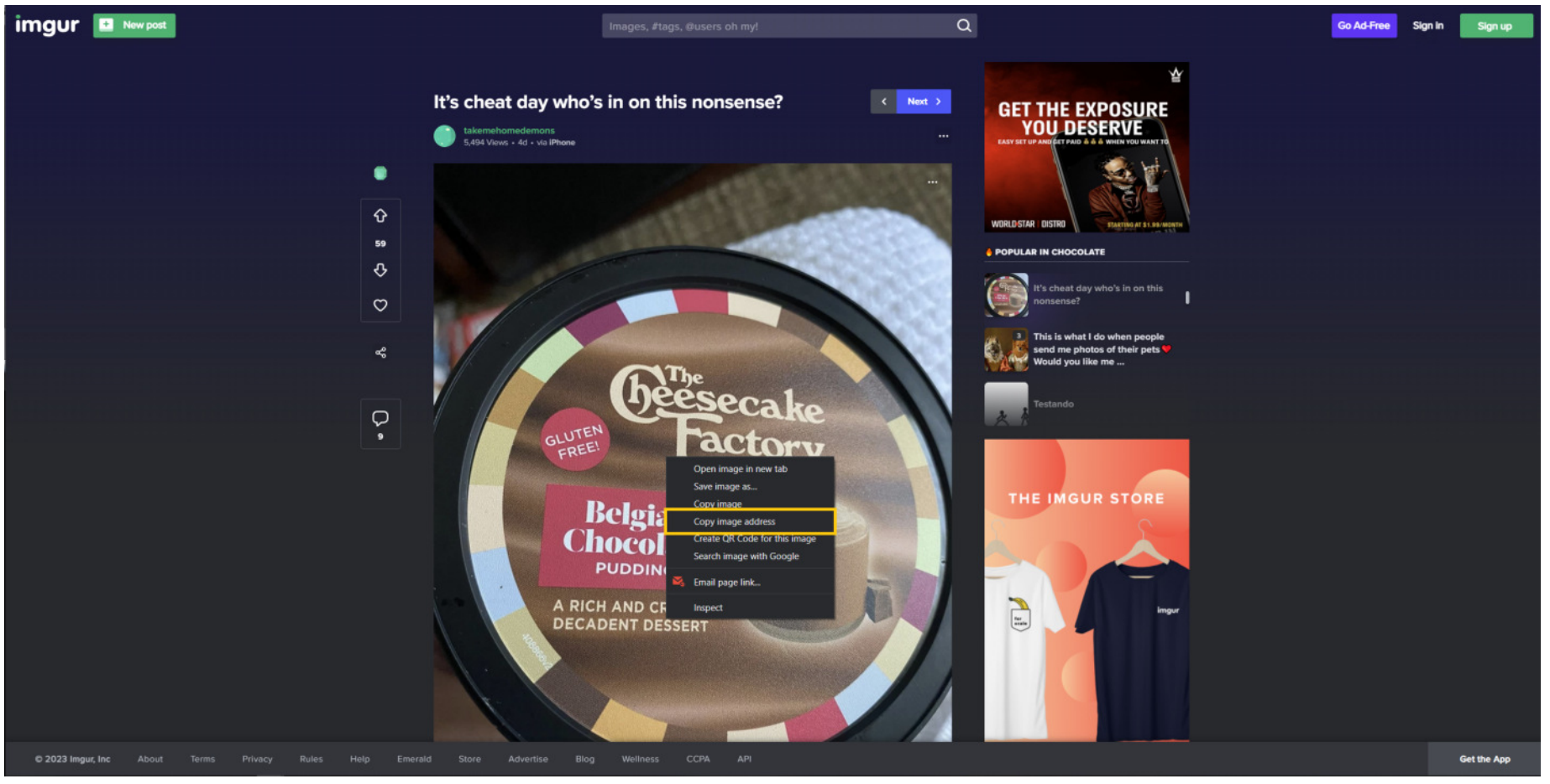
Step 2: Paste the URL at the edit offer page and gie yer media title a name (optional)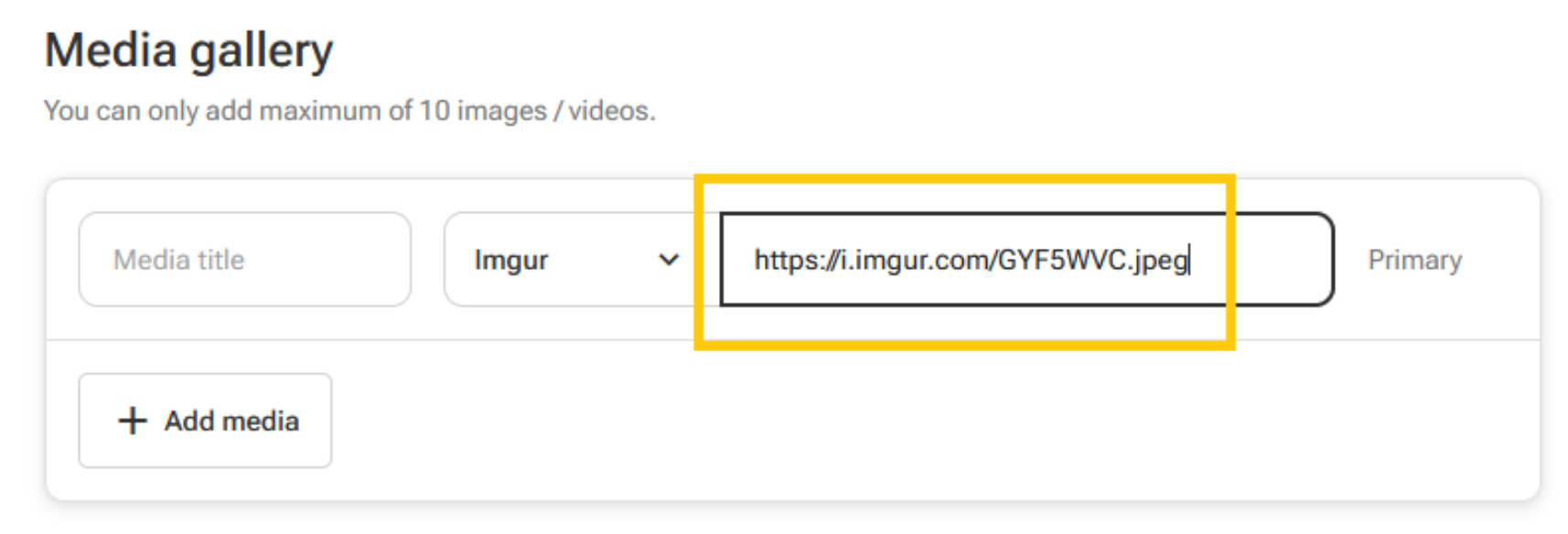
2. Video Upload
Step 1: Richt-click on the video and select Copy Video Address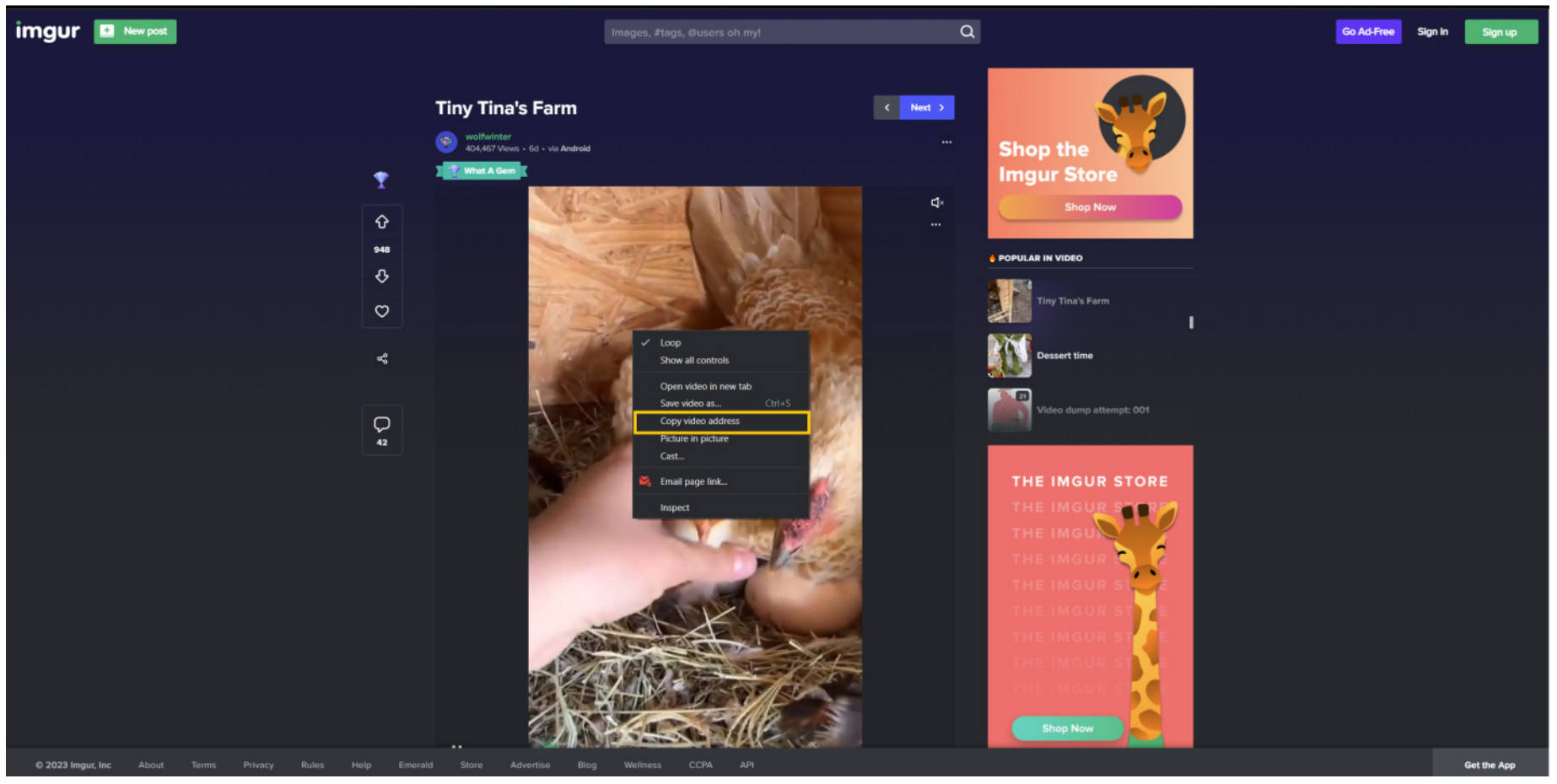
Step 2: Paste the URL at the edit offer page and gie yer media title a name (optional)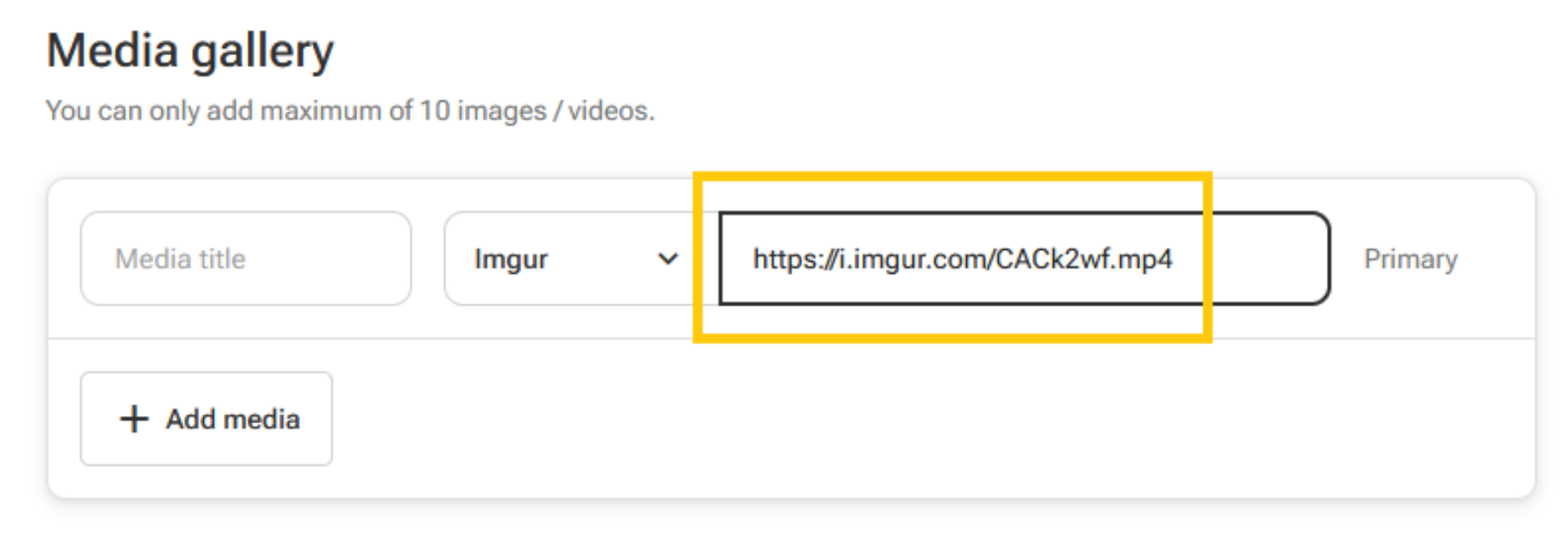
2. flickr.com
Step 1: On the selected image, clik on the arrow icon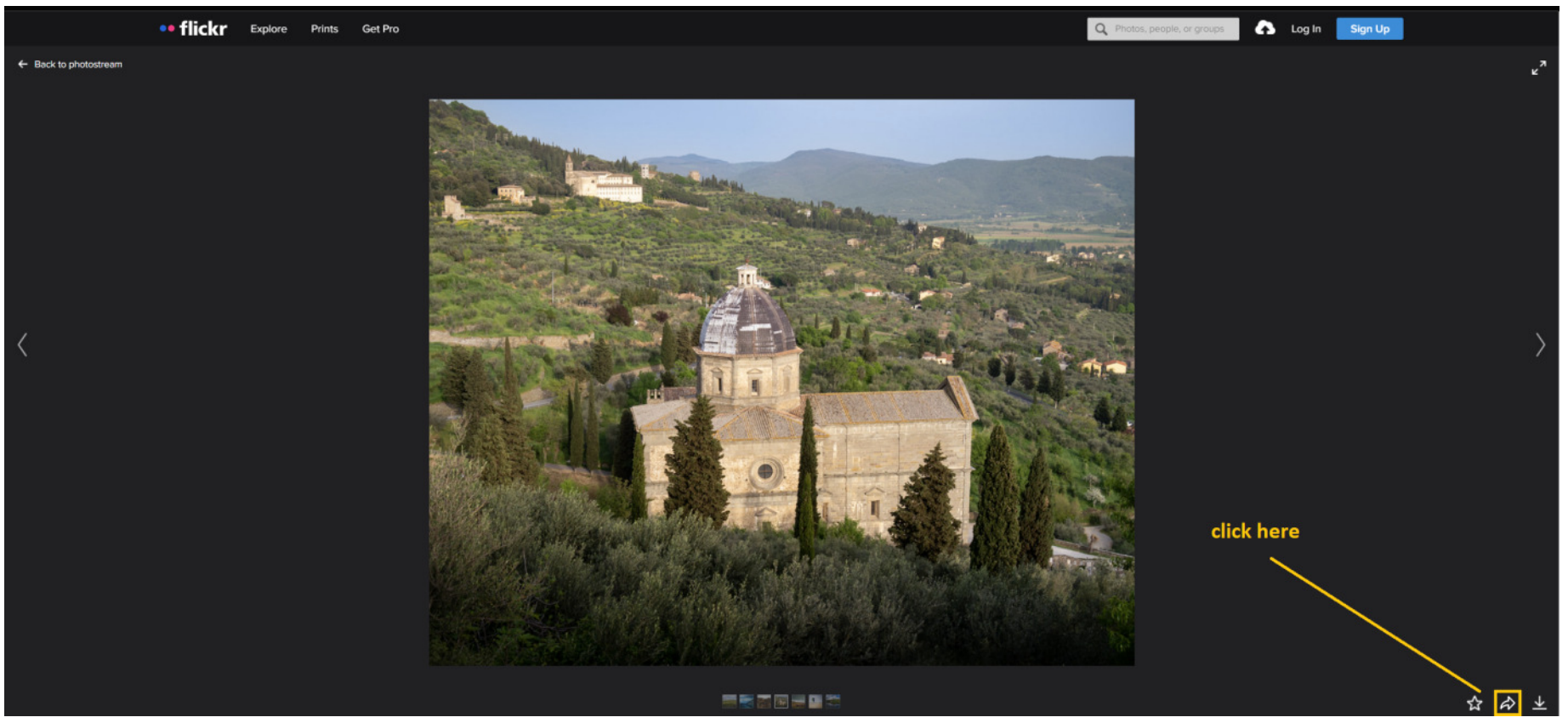
Step 2: Select Embed and copy the hale contents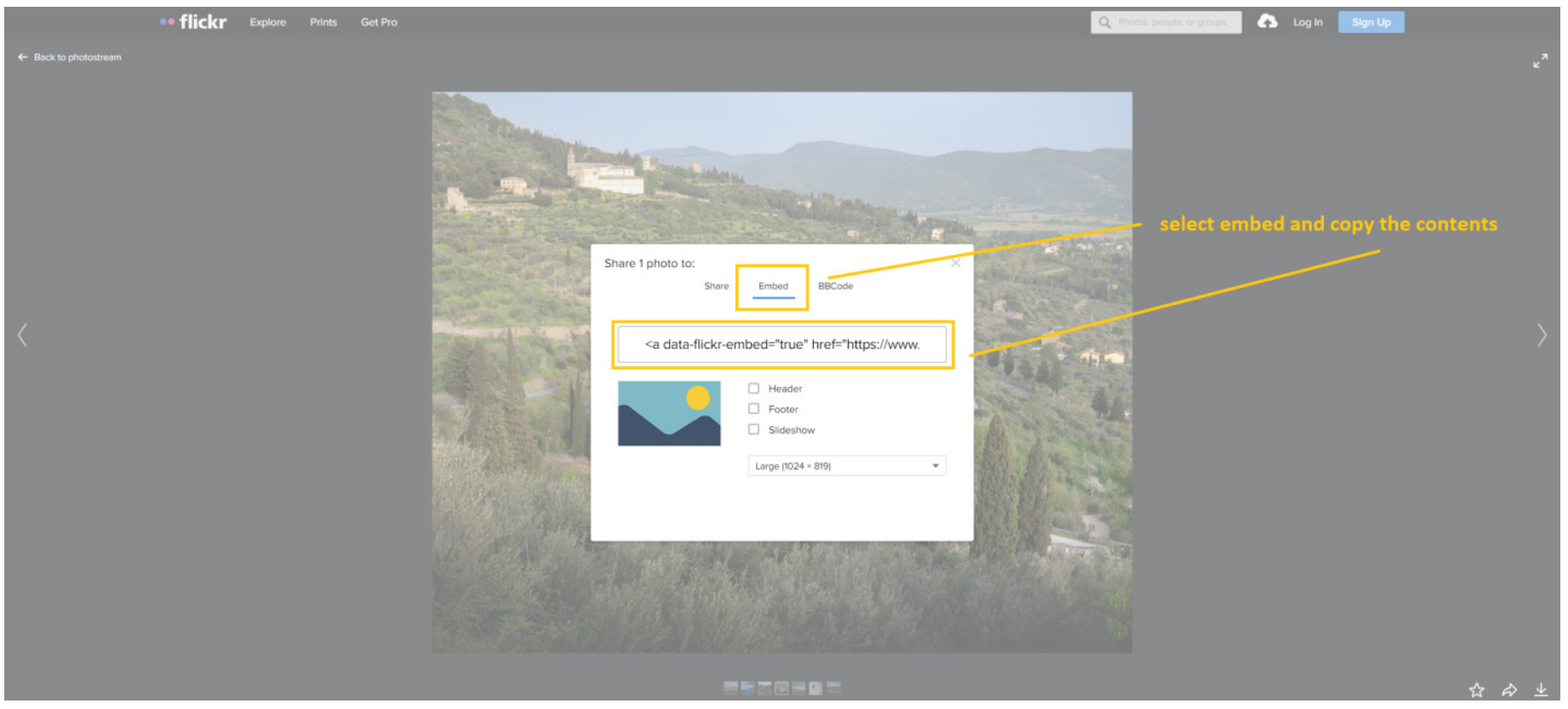
Step 3: Open up notepad and paste the contents there. Seel for img src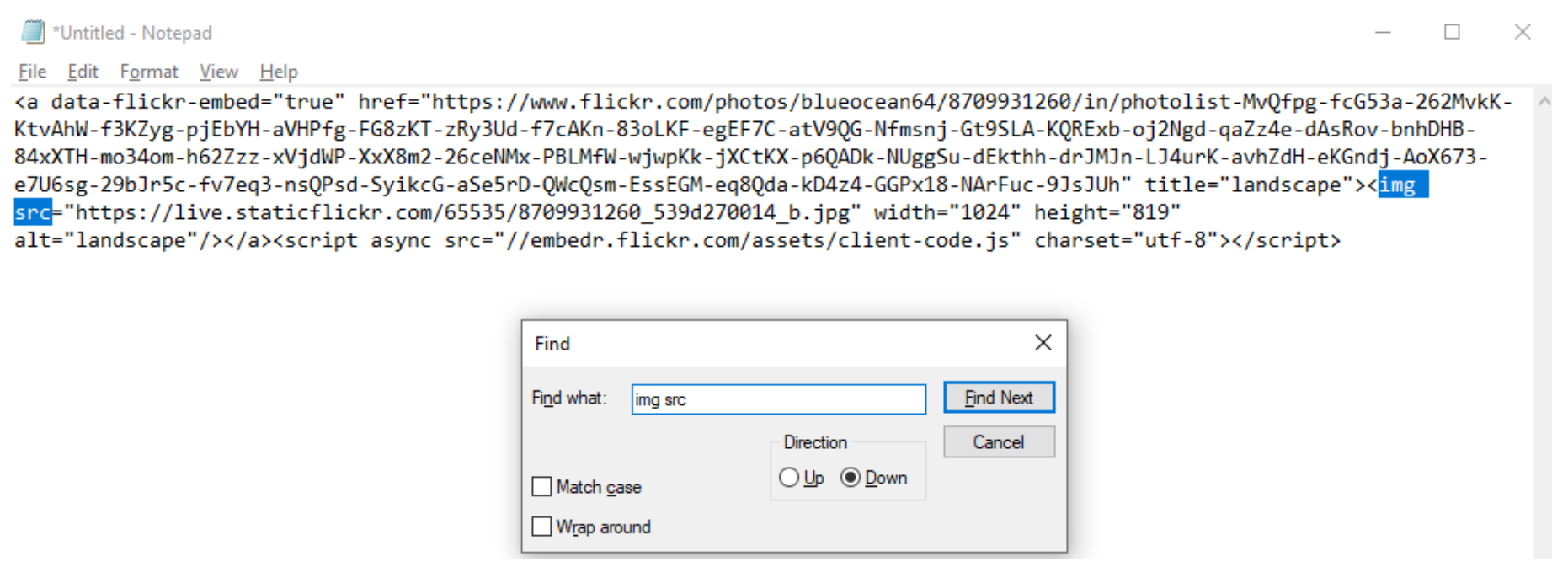
Step 4: Copy the URL richt up till the image extension
Step 5: Paste the URL at the edit offer page and gie yer media title a name (optional)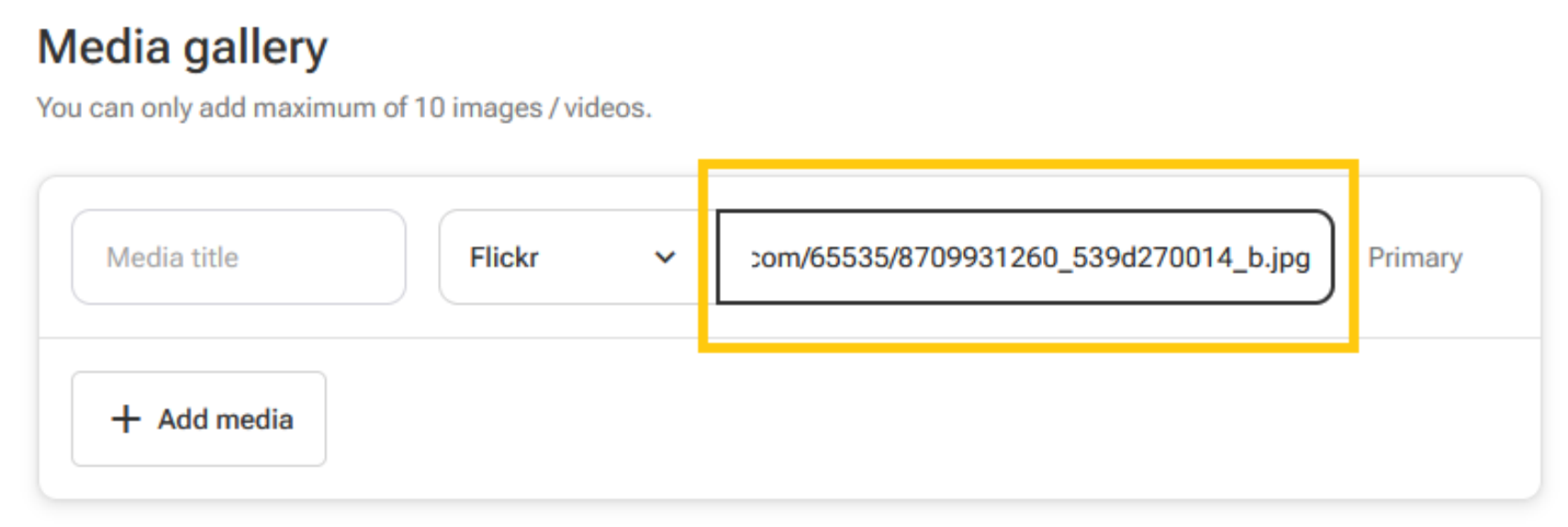
3. dropbox.com
Step 1: Seel for yer desired image, open it up and clik on Copy Link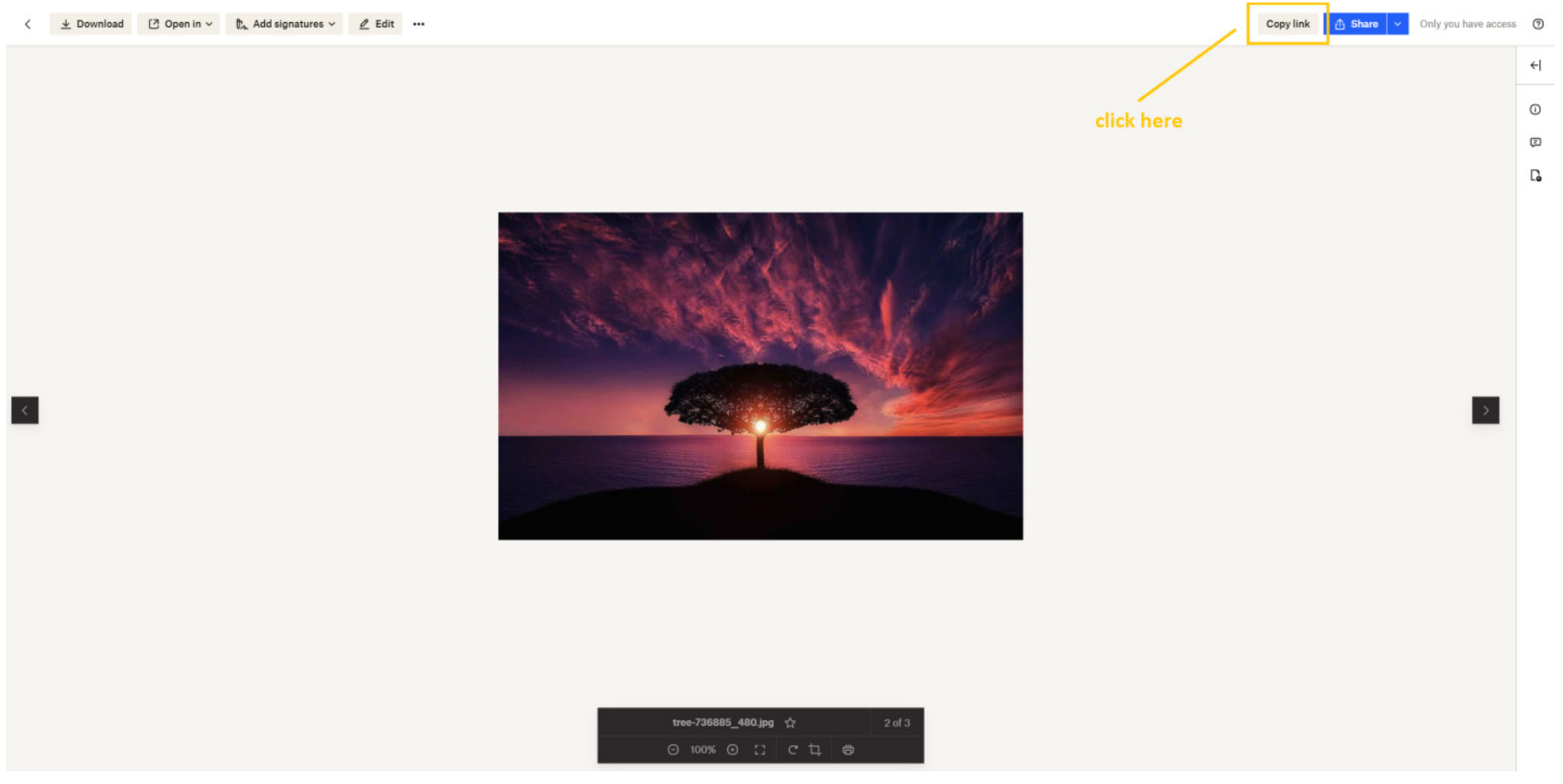
Step 2: A link will be generated at the fit o the page. Copyin it is nae needit as it will be done automatically.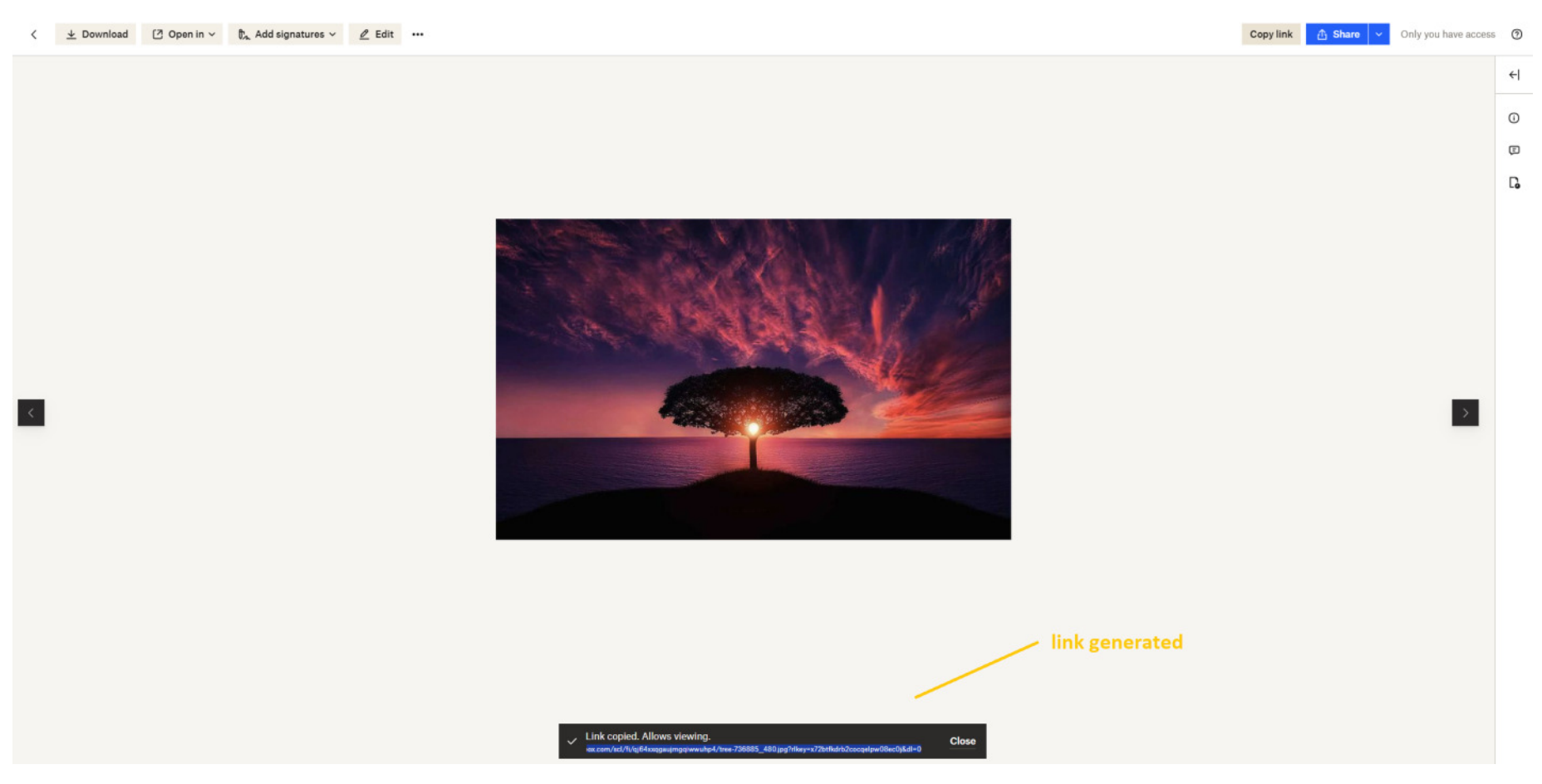
Step 3: Paste the URL at the edit offer page, chyange the last extension frae dl=0 tae raw=1 and the front domain tae dl.dropboxusercontent.com. Gie yer media title a name (optional)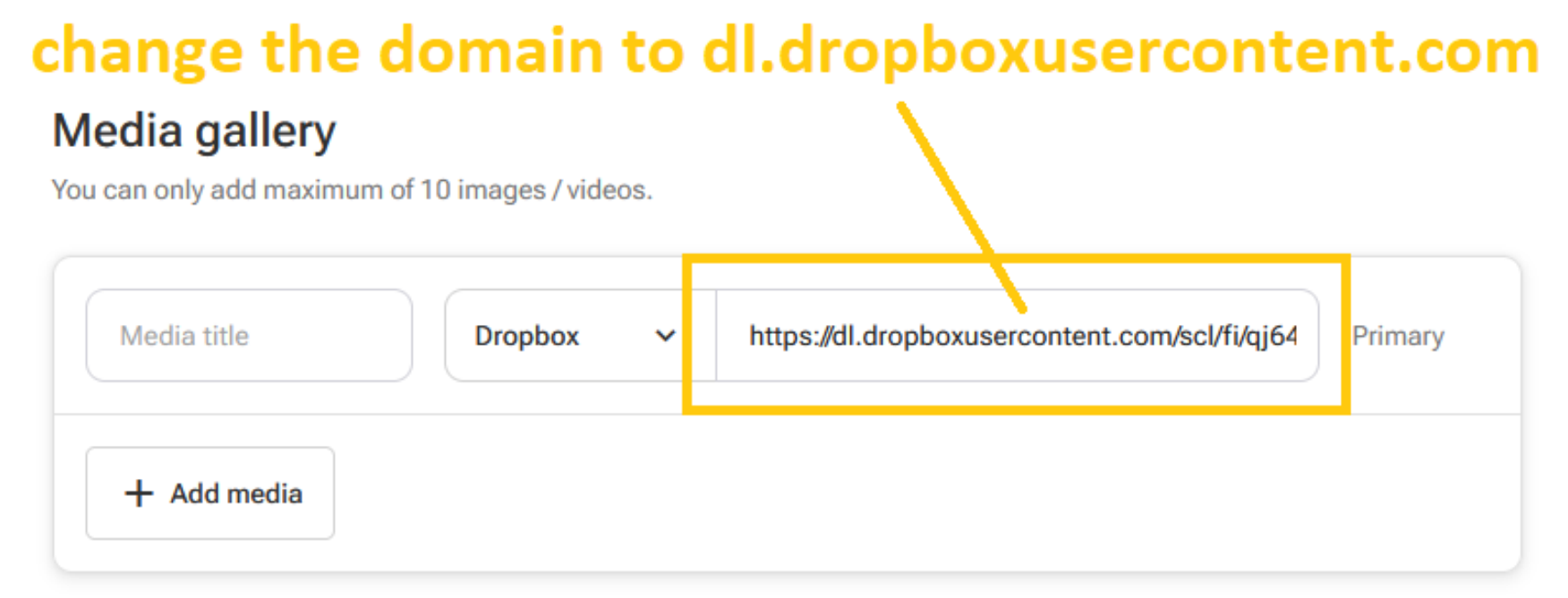
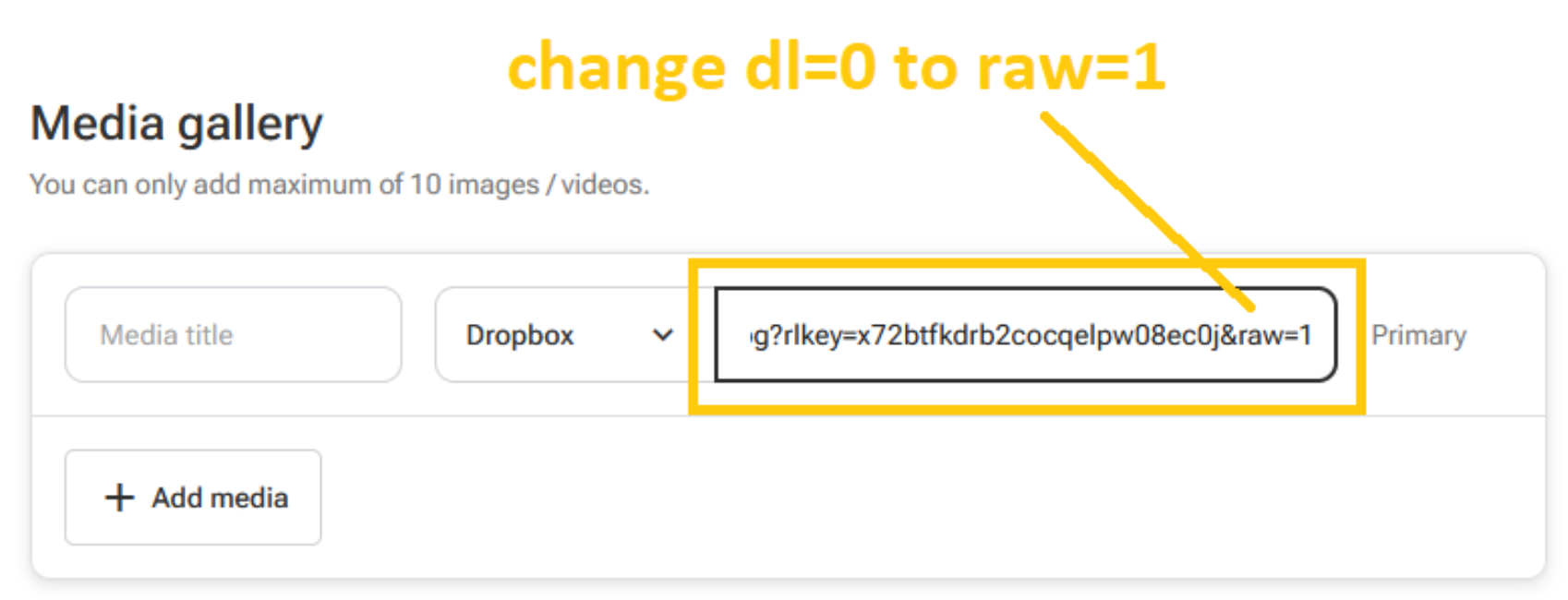
4. 500px.com
Step 1: Clik on the Share icon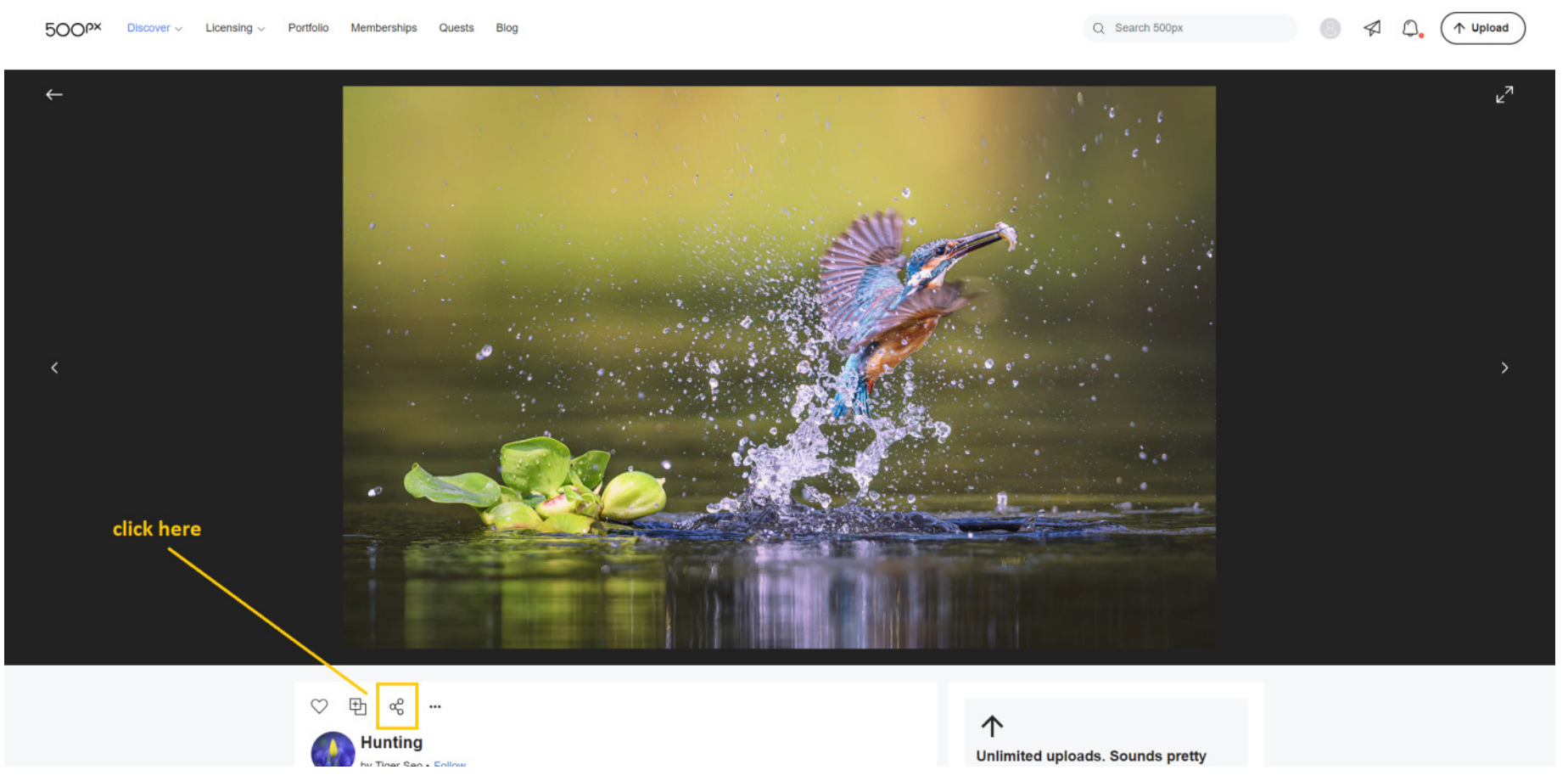
Step 2: Select Embed frae the option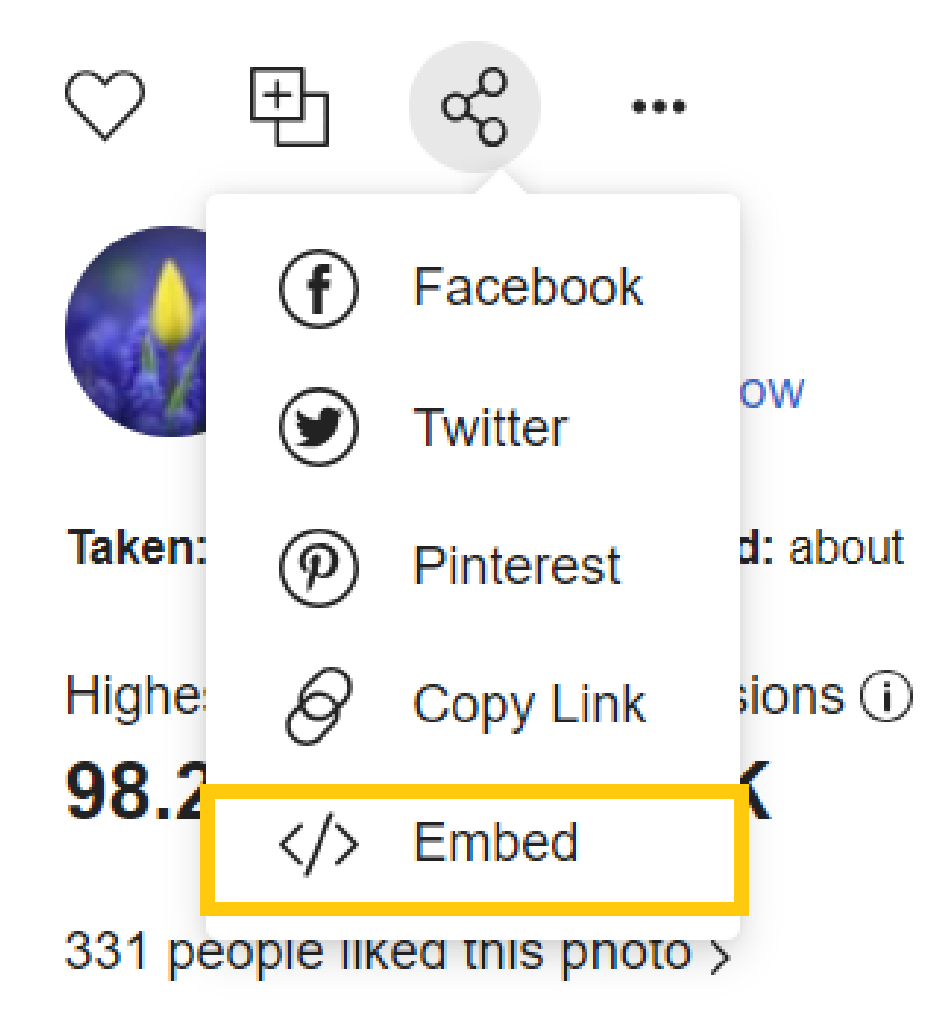
Step 3: Seel for src and copy the contents efter the single quote till its end (exclude the second single quote)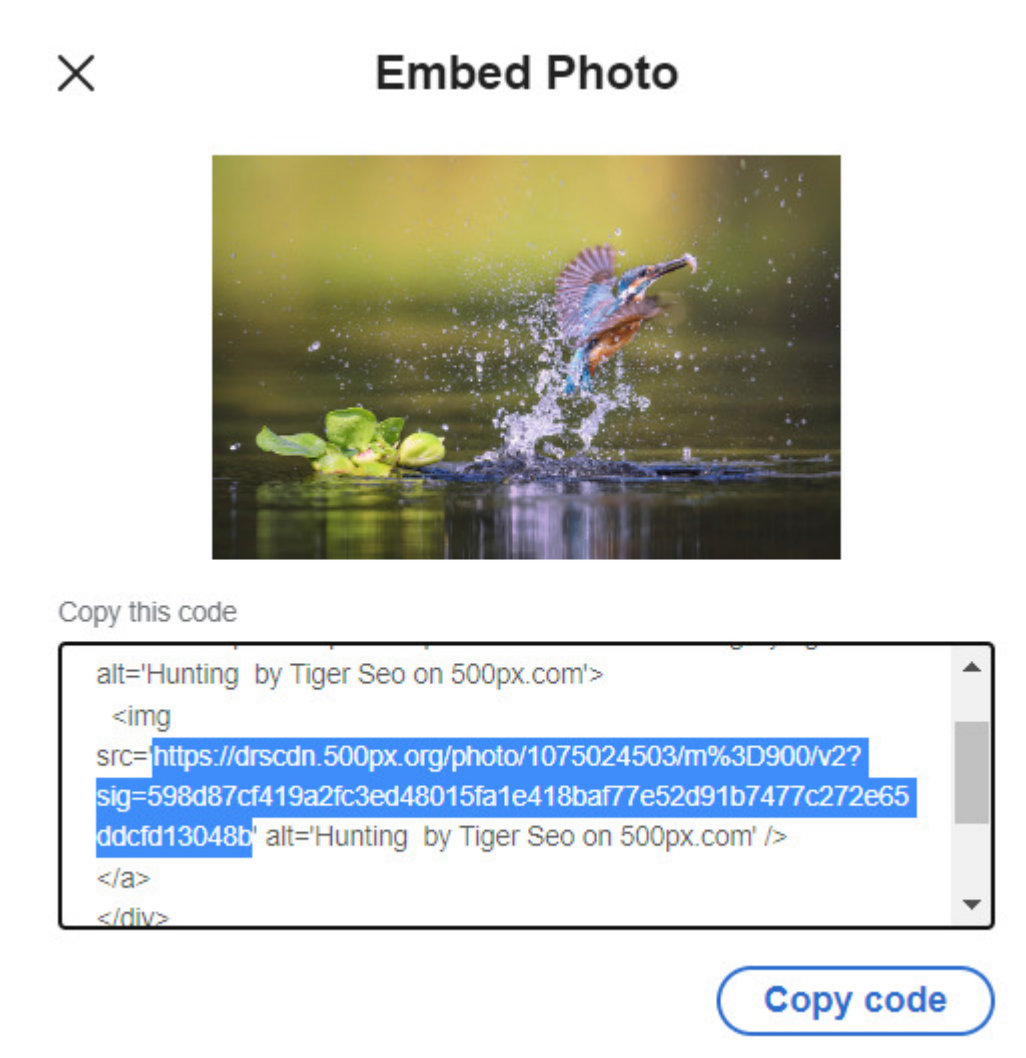
Step 4: Paste the URL at the edit offer page and gie yer media title a name (optional)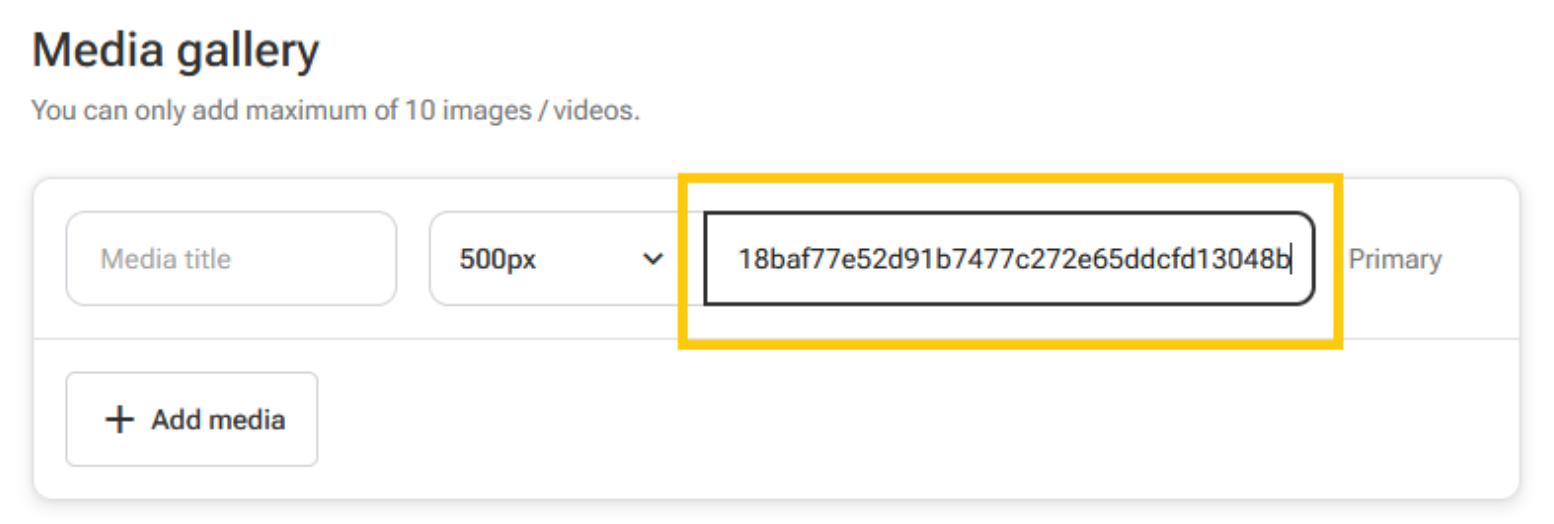
5. hizliresim.com
Step 1: Upload yer photo and clik on the Load button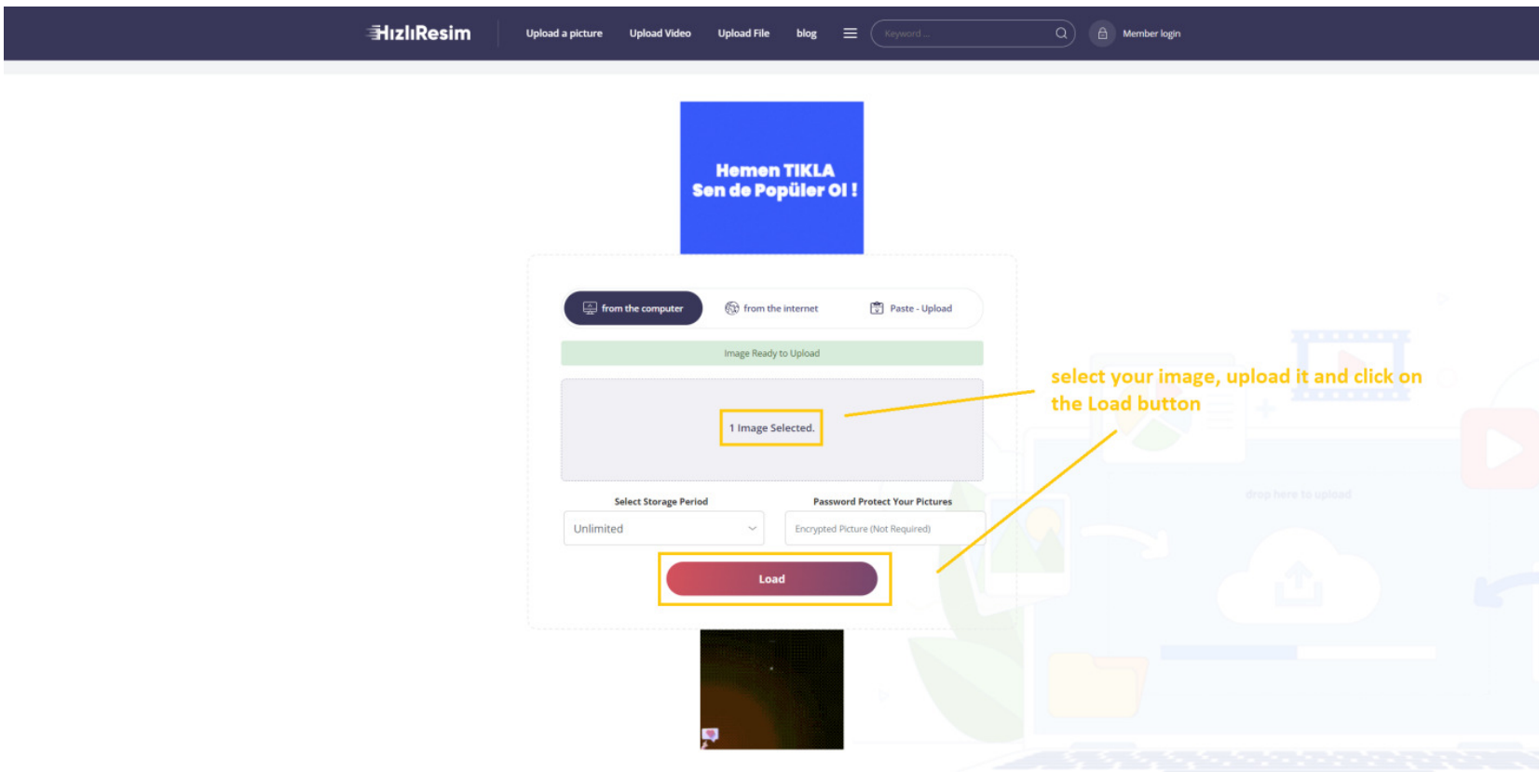
Step 2: Richt-click on the image and select Copy Image Address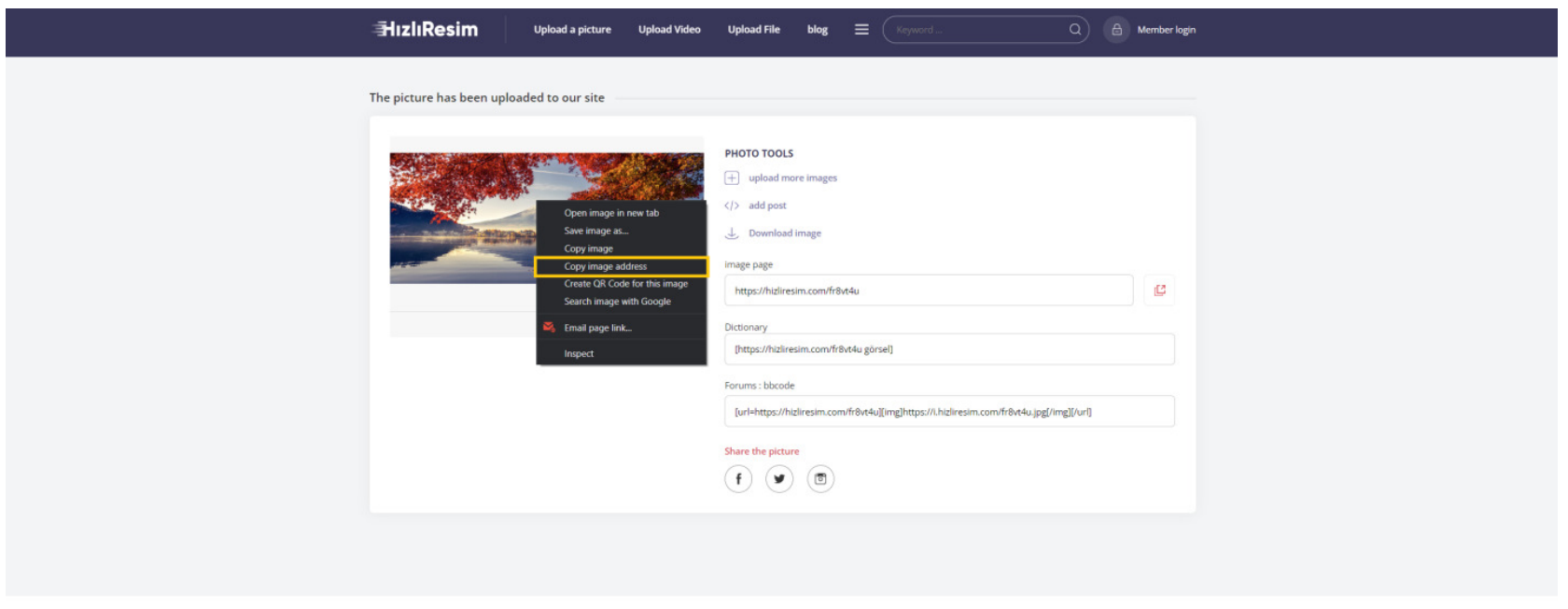
Step 3: Paste the URL at the edit offer page and gie yer media title a name (optional)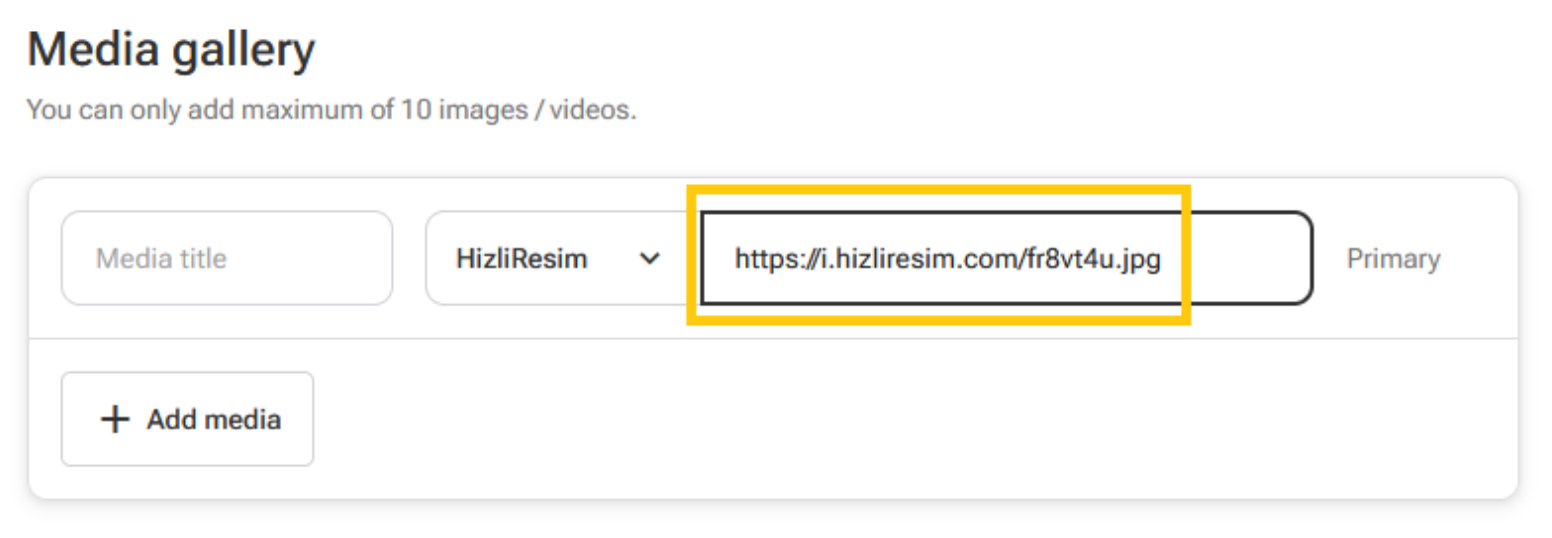
6. postimages.org
Step 1: Upload yer desired image and copy the direct link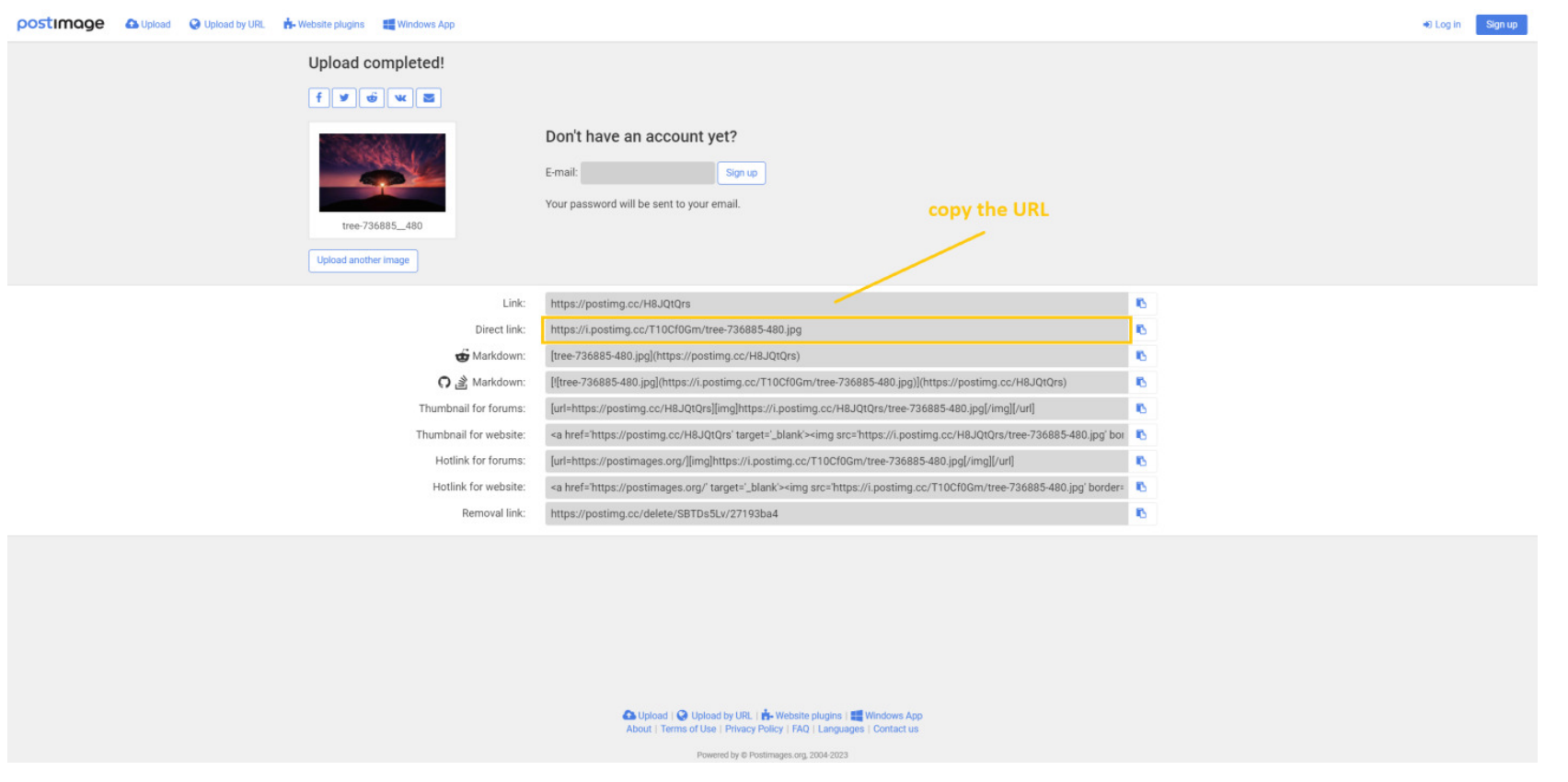
Step 2: Paste the URL at the edit offer page and gie yer media title a name (optional)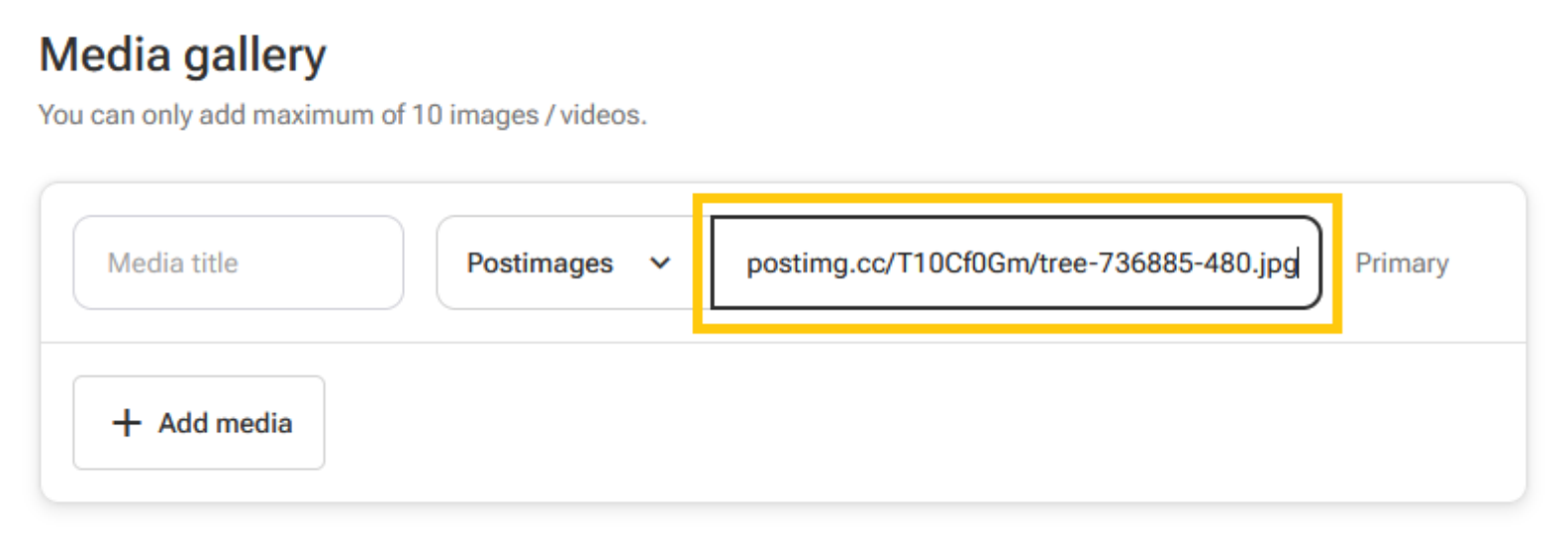
Note:
- Please check yer uploaded images frae time tae time, as some domains may hae expiry dates for hosted files.
- The submitted URL maun link directly tae the image file, no the hostin page. Ye can retrieve the image file URL by openin it in a new tab or copyin the image address, as shown belaw.
ACCEPTED
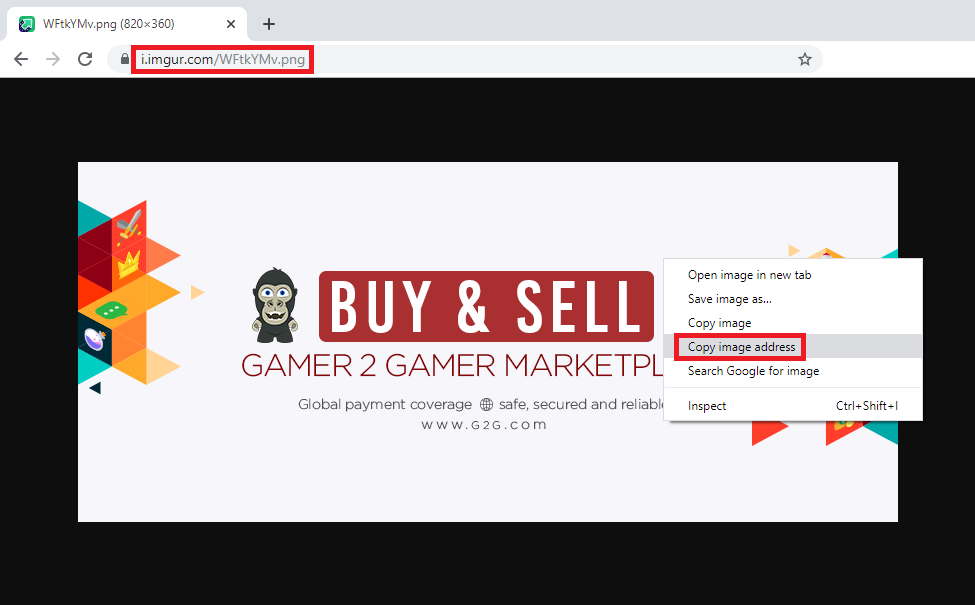
NOT ACCEPTED