
This airticle wis AI-translated frae English. Some details michtna be perfectly accurate.
Hou Dae I Chynge My Username / Nickname / Stoor Name?
Last updatit: 13 Aug 2026
Ye can update yer username on G2G by follaein the steps belae:
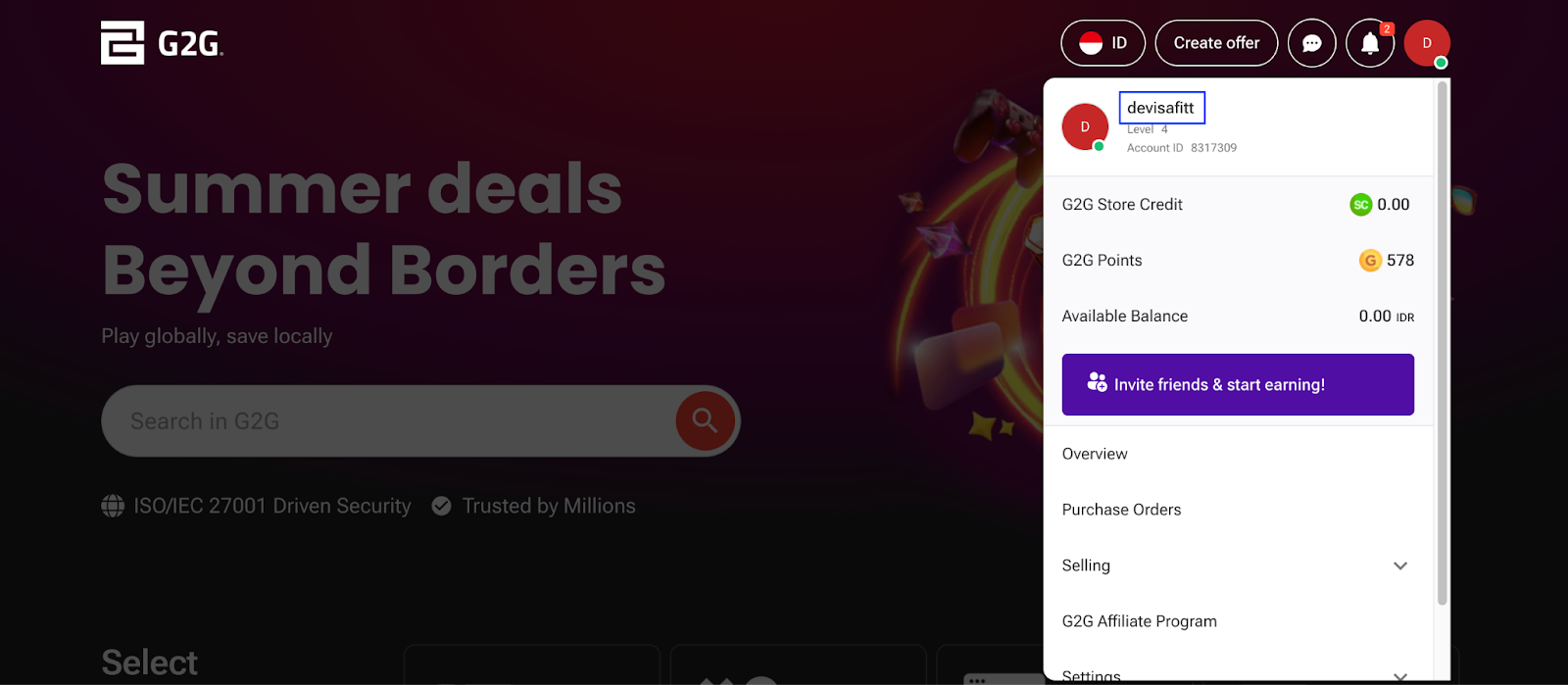
Log in tae yer G2G account, an click yer profile icon in the tap menu. Frae the dropdown, select yer current username.
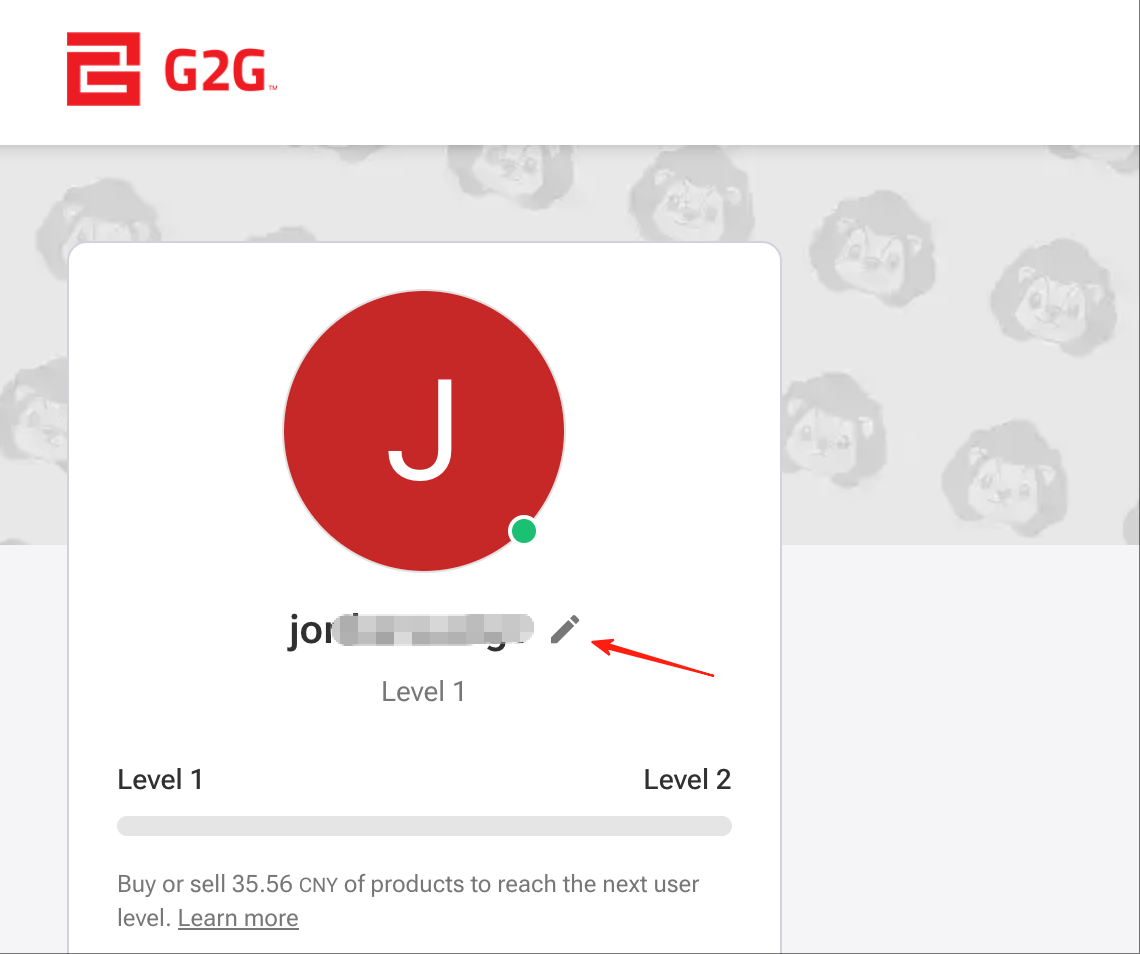
Click the pencil icon neist tae yer profile name, and complete the identity verification process.
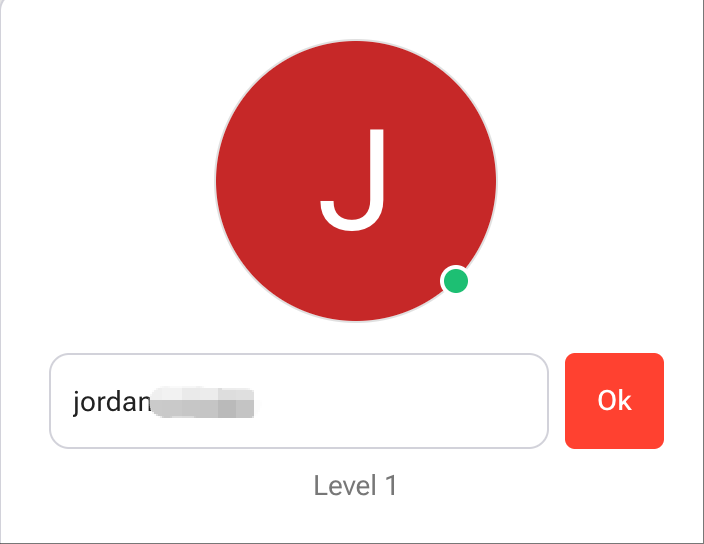
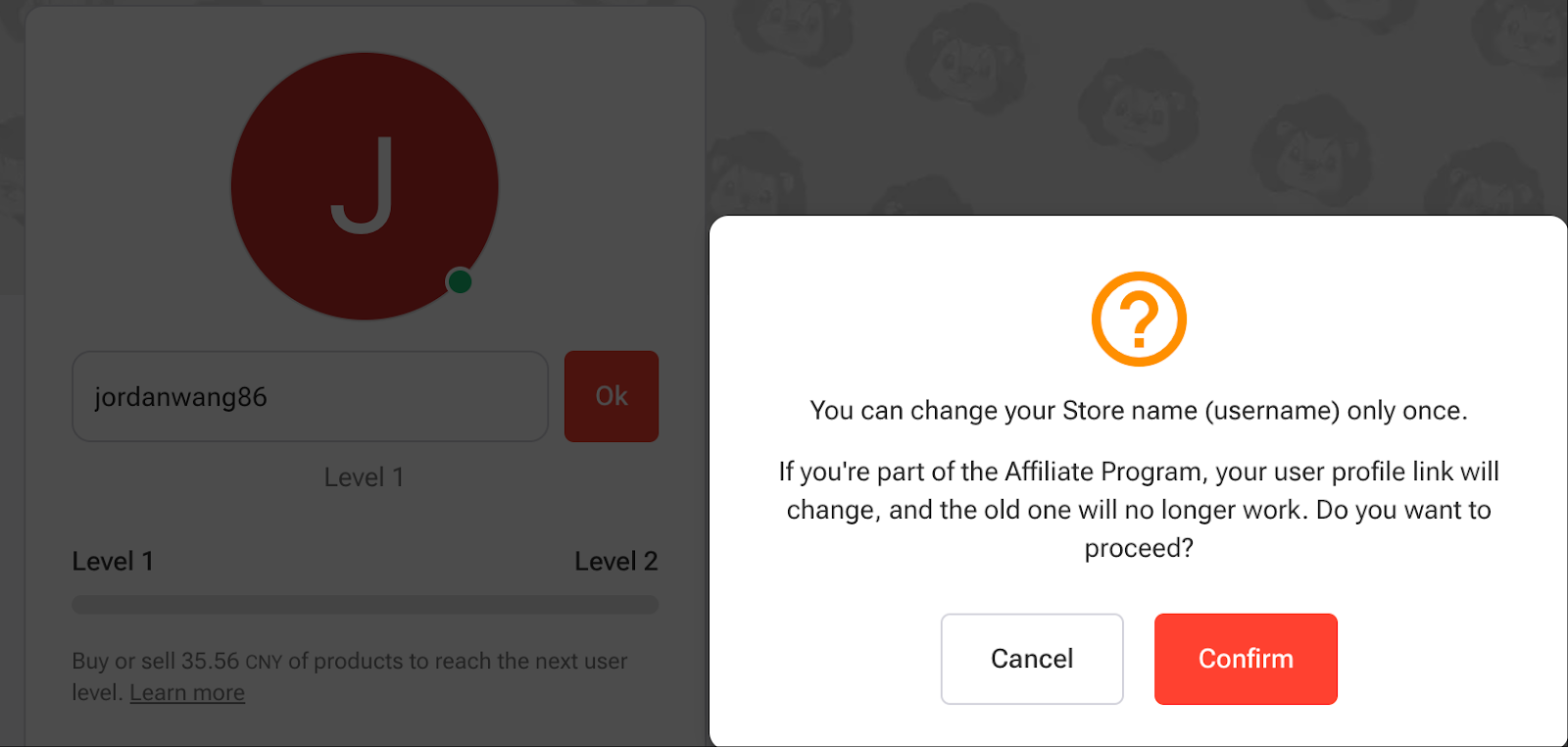
Aince verified, enter yer new username in the box then click Confirm tae save the chynge.
Username Rules:
- Anlie letters, nummers, and underscores are allowt.
- Maximum 12 characters.
- Username cannae stert wi a nummer.
Important Notes:
- Username chynge is allowt anlie ance.
- If MFA (Multi-Factor Authentication) is enabled on yer account, ye'll need tae enter yer MFA code.
- If MFA is no enabled, ye'll be required tae enter yer account password.