
This airticle wis AI-translated frae English. Some details michtna be perfectly accurate.
Takkin a keek at ilk feature o the G2G Affiliate Program Dashboard
Last updatit: 31 Aug 2026
Weclae to the G2G Affiliate Program! Whither ye’re juist gettin started or leukin to better unnerstaun yer tools, this guide wull wauk ye through ilka key feature in yer affiliate dashboard an help ye mak the maist o yer performance.
Main Dashboard Sections
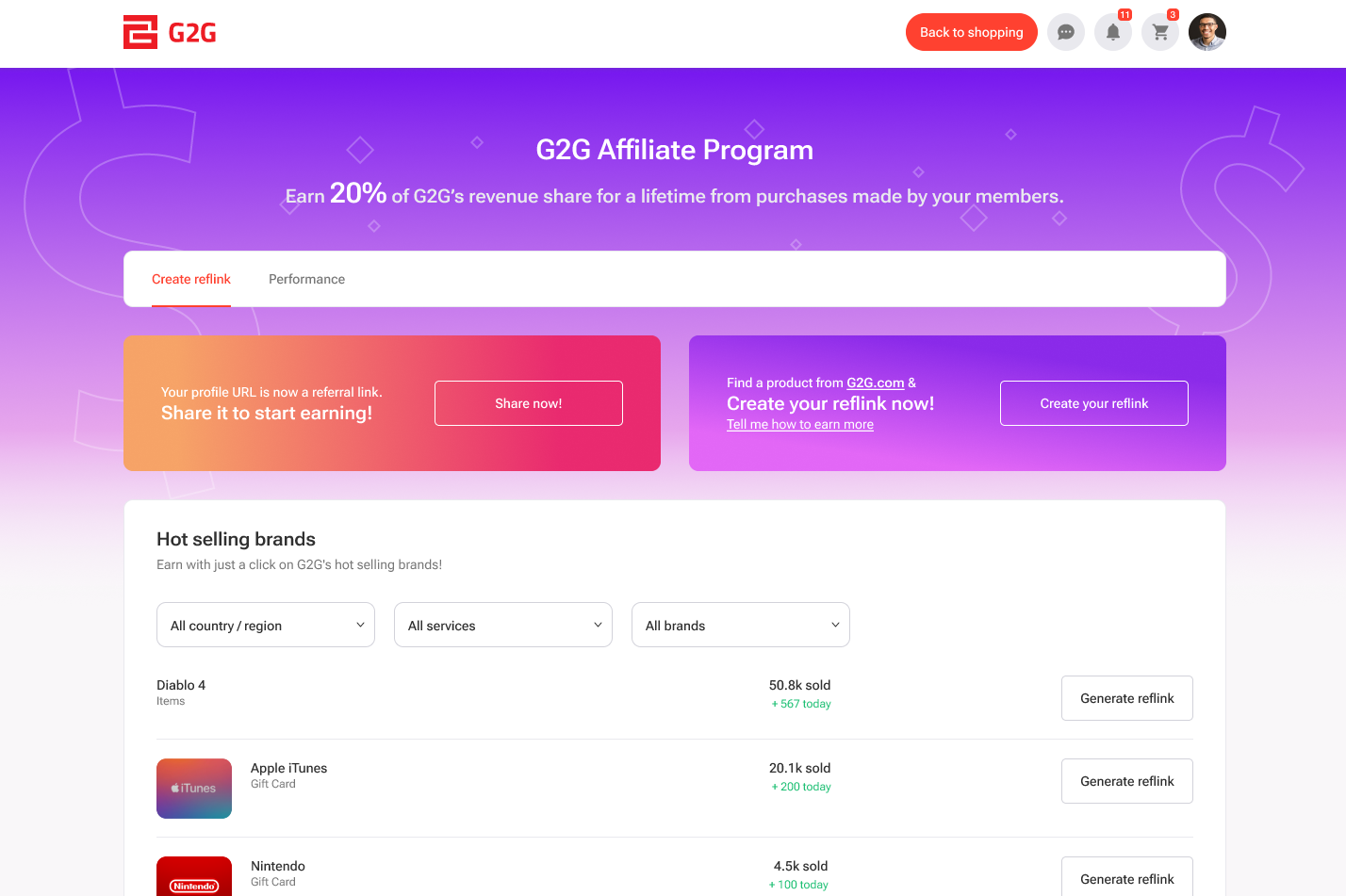
Yer affiliate dashboard includes twa primary tabs:
- Create Reflink
- Performance
Create Reflink
This tab gies ye multiple weys to generate yer reflinks.
1. Yer Profile URL is Noo an Affiliate Link
Yer G2G profile link noo functions as a reflink. Jist click “Share profile reflink”, an ye’re ready to start earnin—nae extra setup required.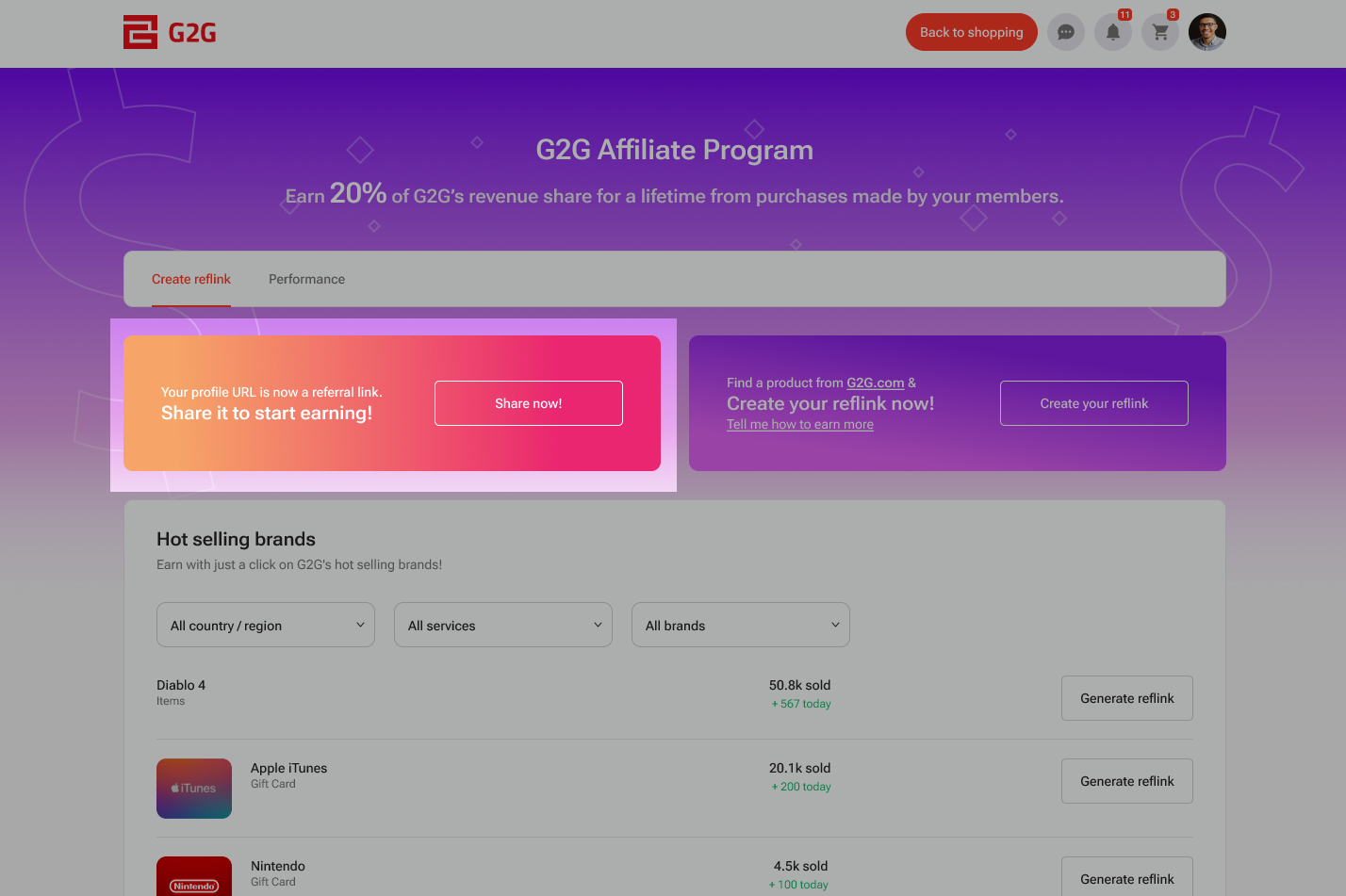
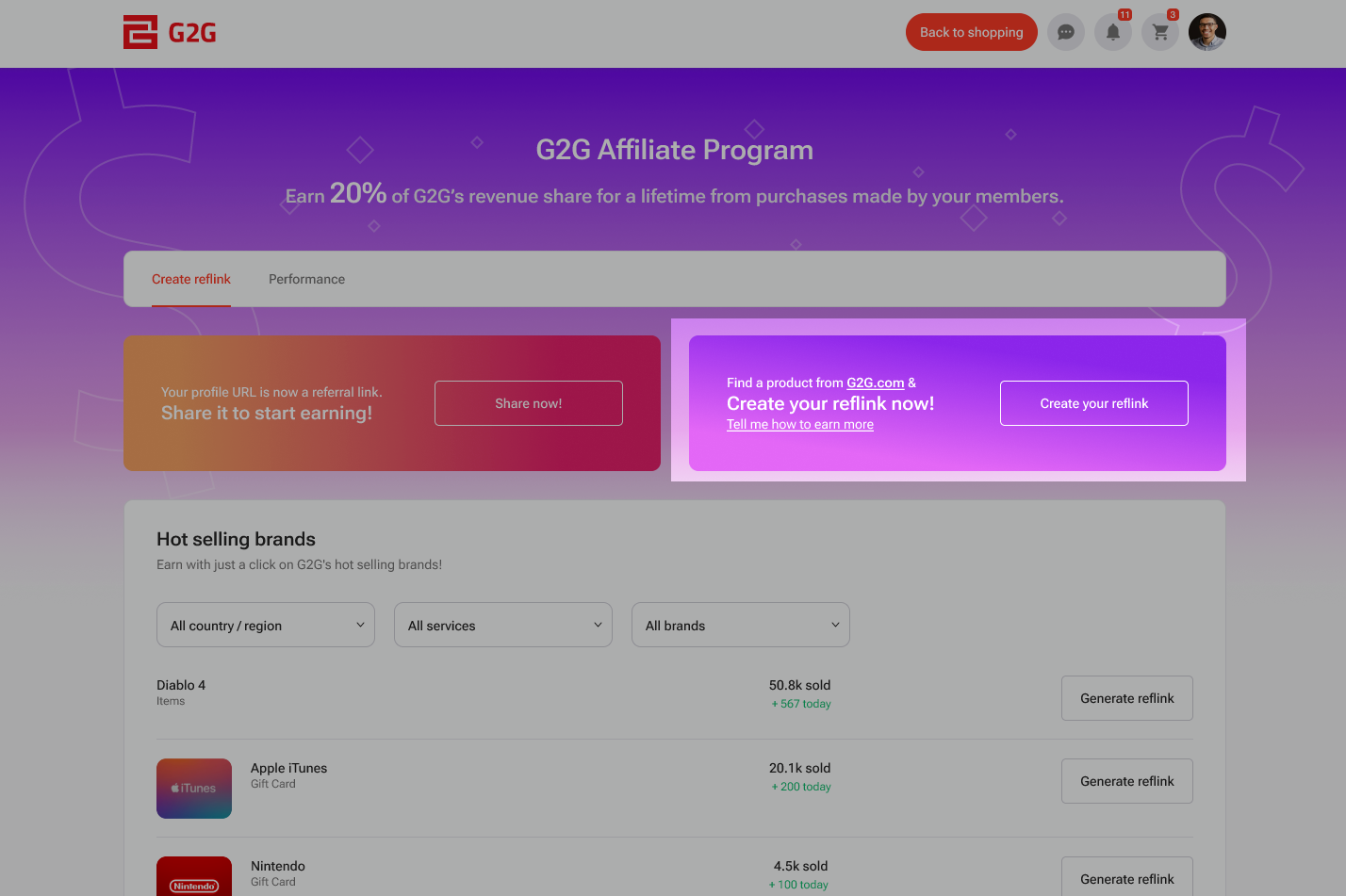
2. Create Manually
Ye can manually create a reflink for ony specific product or brand:
- Find the product ye want to promote
- Copy its G2G URL
- Paste the URL intae the generator box
- Click “Generate”
- Yer personalised reflink is noo ready to share
3. Hot Selling Brands
This section haes the top-sellin products frae the previous week.
Click “Generate Reflink” neist tae ony item to instantly create a shareable reflink.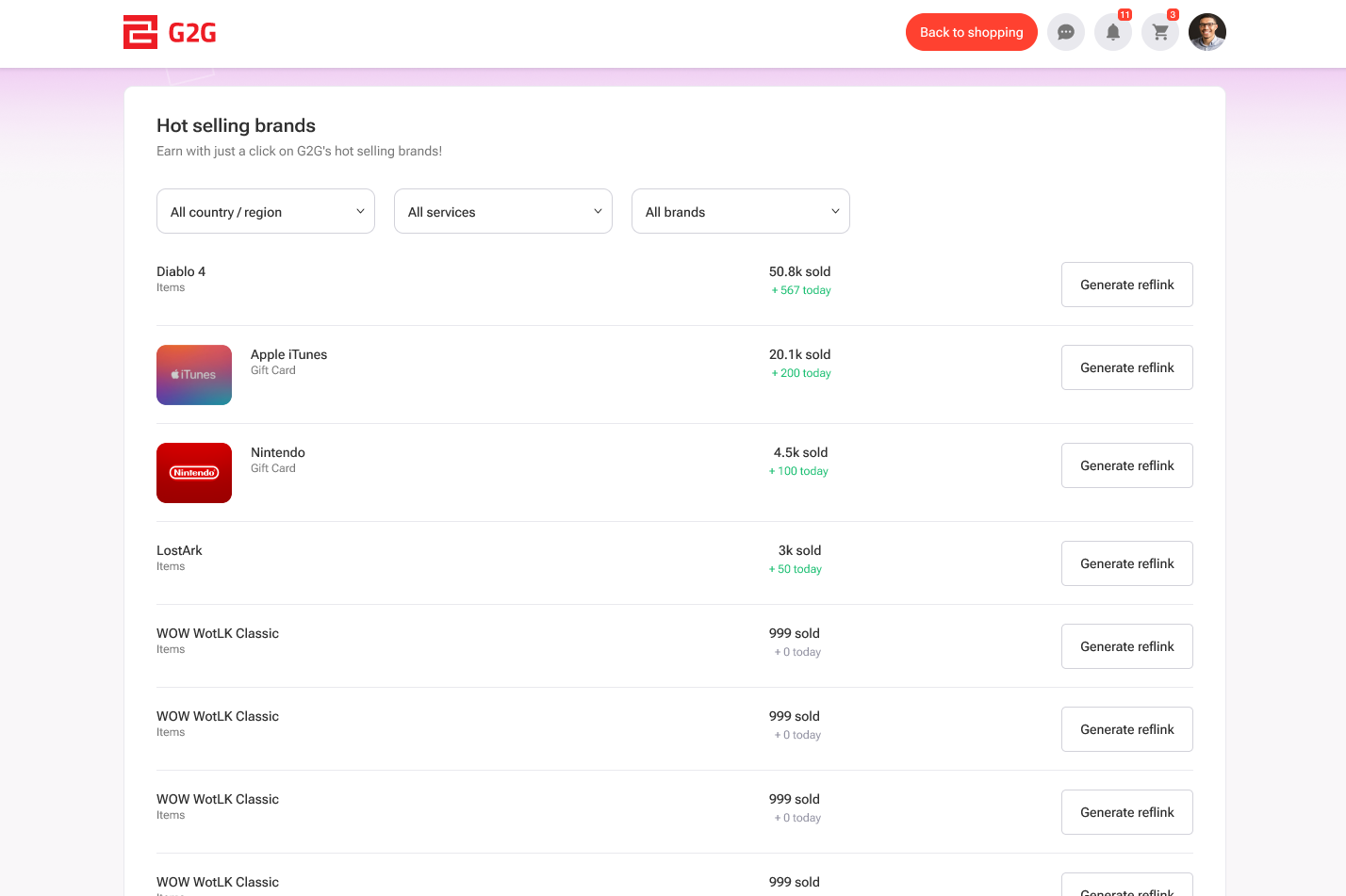
Performance
This tab gies ye access tae metrics that track yer affiliate activity an income.
Total Commission
Displays the total commission earned through yer reflinks syne jynin the program.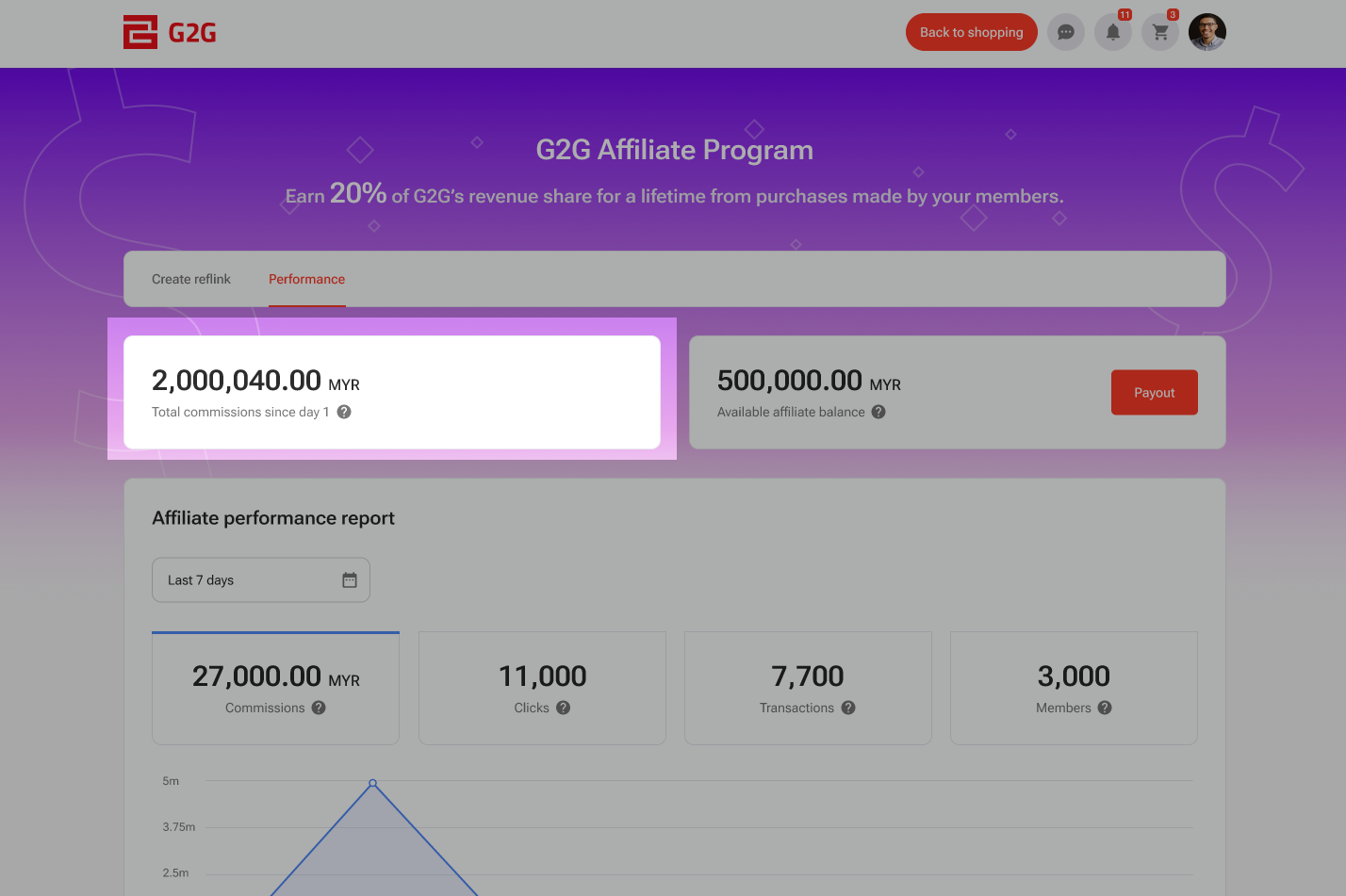
Available Balance
Shaws the withdrawable amount accuminlatit frae yer activity as baith a seller an an affiliate.
This section also includes a “Payout” button. Click it to withdraw yer available balance.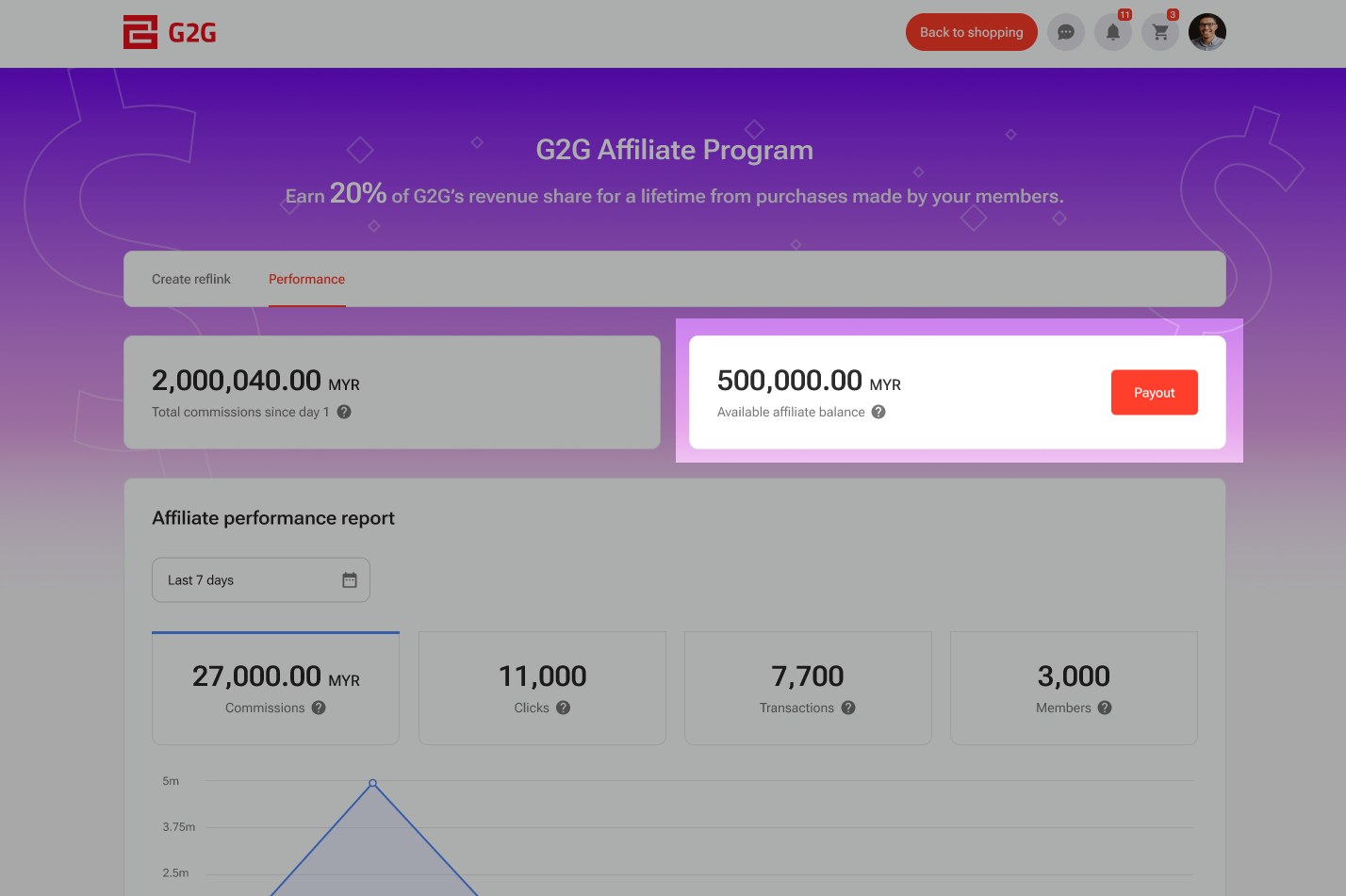
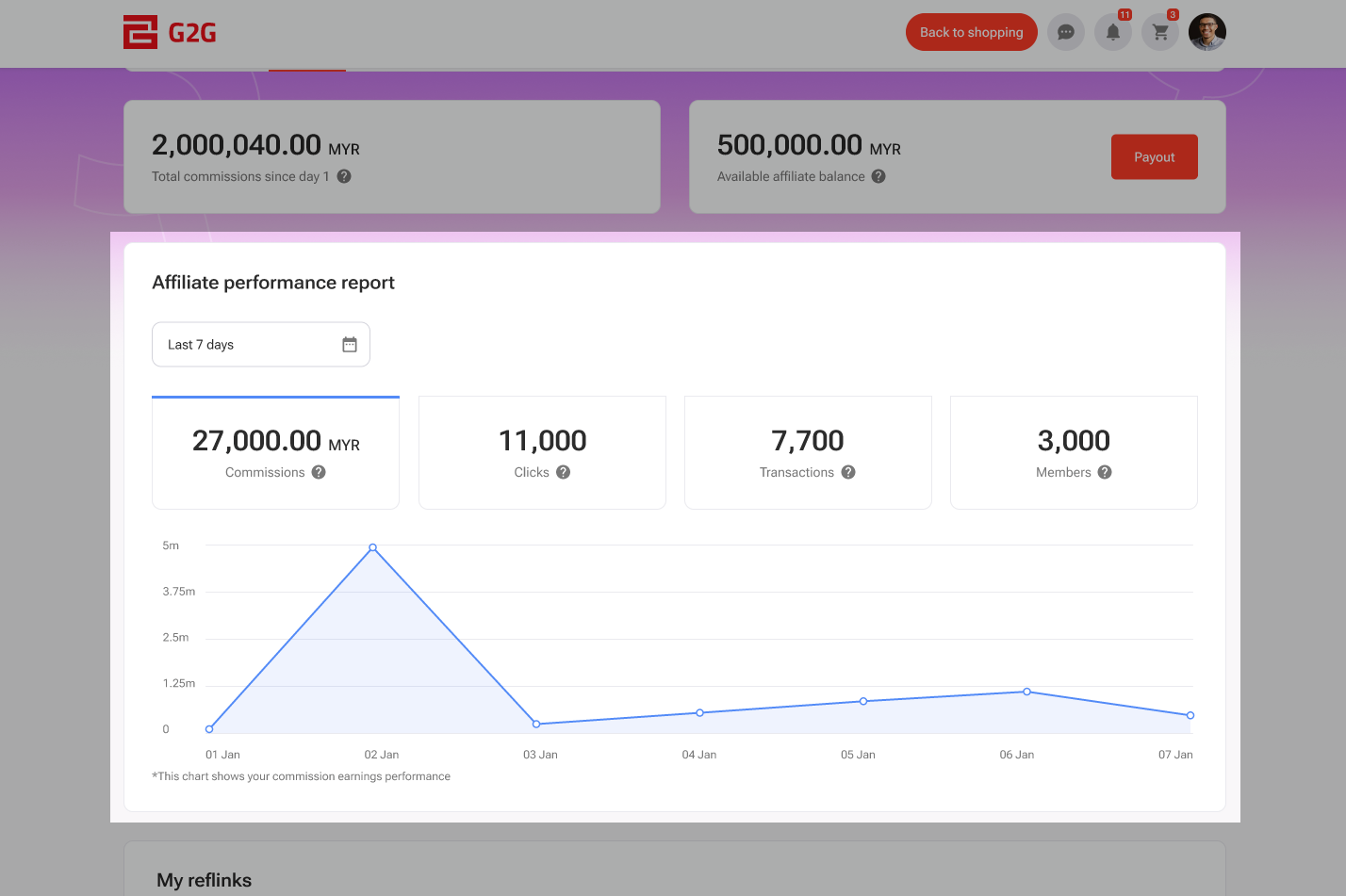
Affiliate Performance Report
Get a real-time summary o yer affiliate performance.
Ye can apply a date filter to narra the results. Please note that data is updated daily, an the day’s metrics wull no be sichtit until the followin day.
The report includes:
- Commission: Total commission earned frae successful purchases via yer reflinks
- Click: Number o times yer reflinks were clicked
- Transaction: Number o completed purchases attributed to yer reflinks
- Member: Number o users wha signed up on G2G through yer reflinks
My Reflink
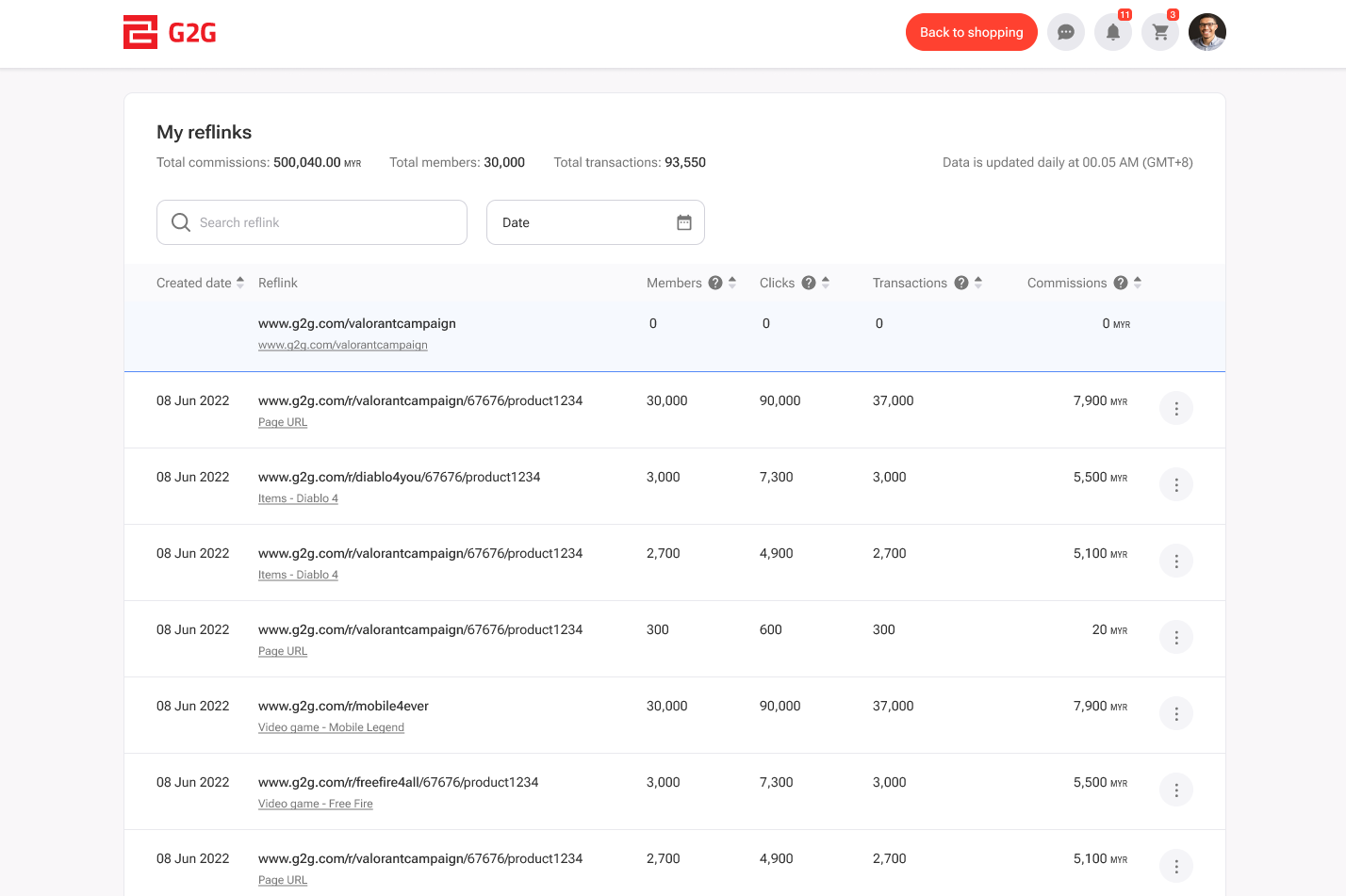
This section displays a leet o a' reflinks ye’ve created.
At the tap, ye’ll see a performance summary for:
- Total Commissions
- Total Members
- Total Transactions
Ye can:
- Filter the leet by date
- Search for reflinks by name
- Use the three-dot menu to edit, view mair, or remove a reflink
To view detailed transactions for a specific reflink, either:
- Click the reflink’s name
- Or select “View Mair” frae the menu
Detail Transaction
This page gies a detailed breakdown o activity for ilka reflink. It includes:
Detail Reflink
Displays the reflink name an the URL it points tae.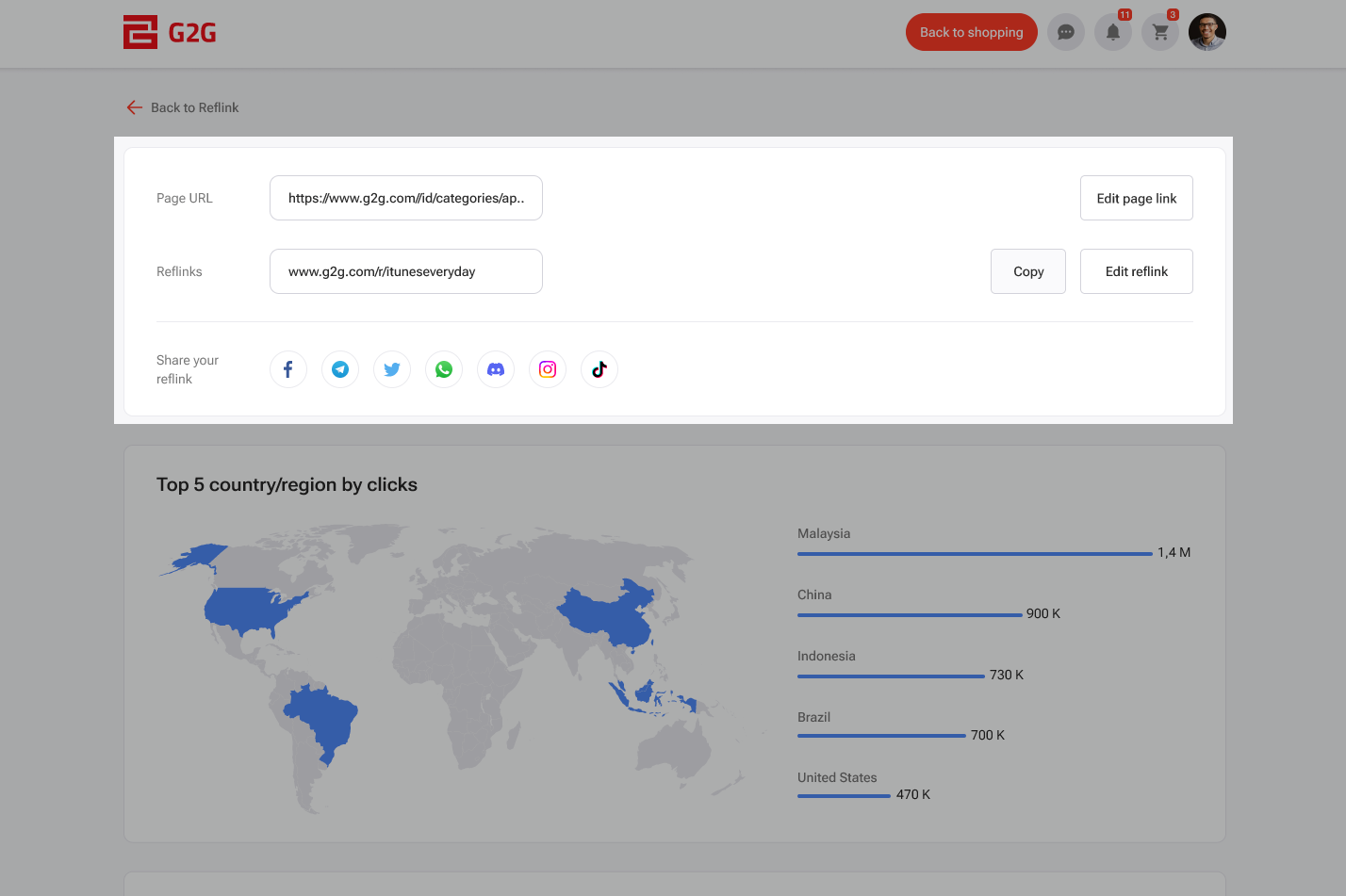
Top 5 Countries and Regions by Clicks
Shaws whaur yer traffic is comin frae usin a map an click counts for the top 5 countries or regions.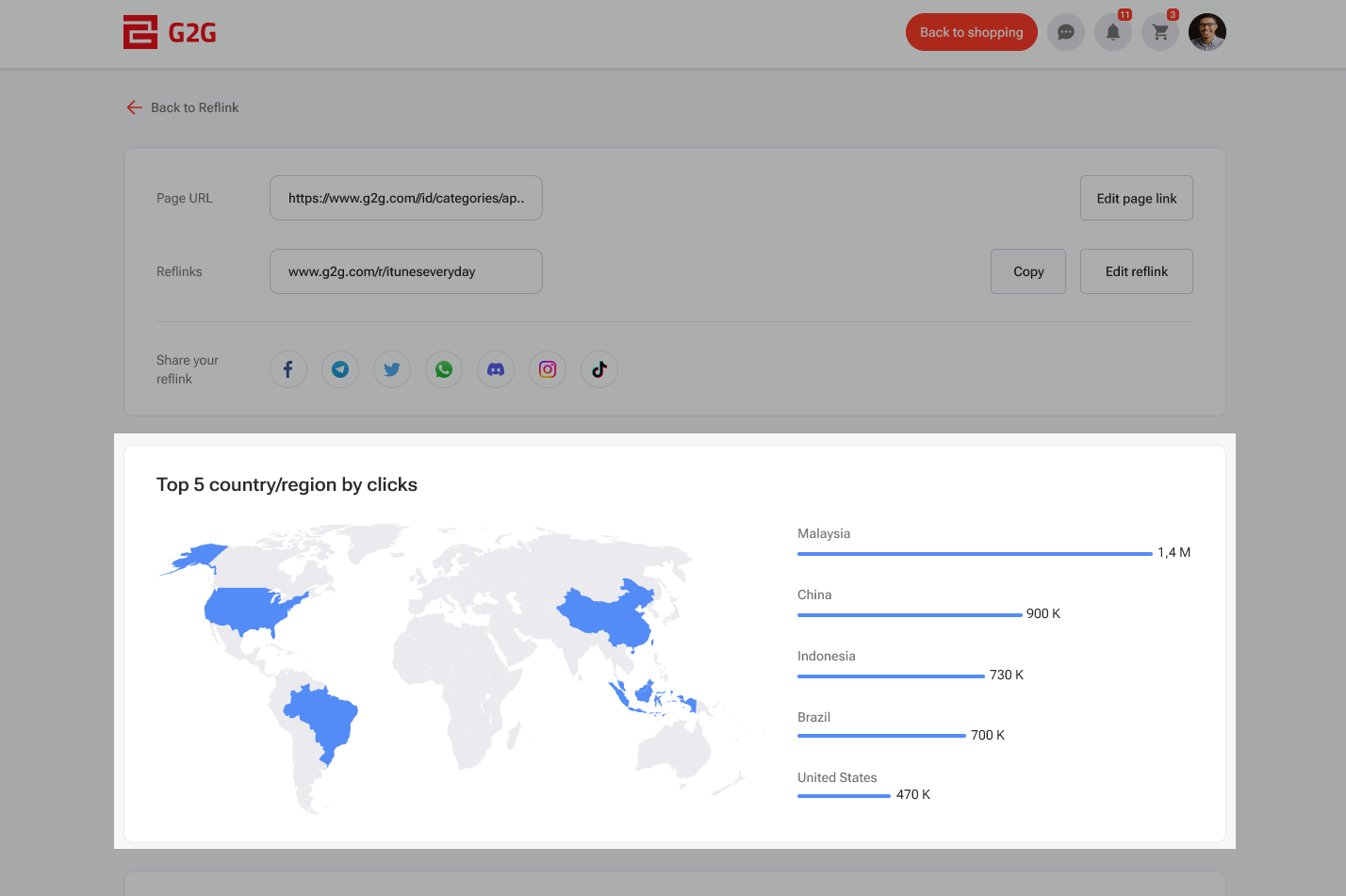
Detail Transactions
Leets a' transaction data for that reflink, includin transaction date, ID, commission earned, country o origin, estimated credited time, an current status.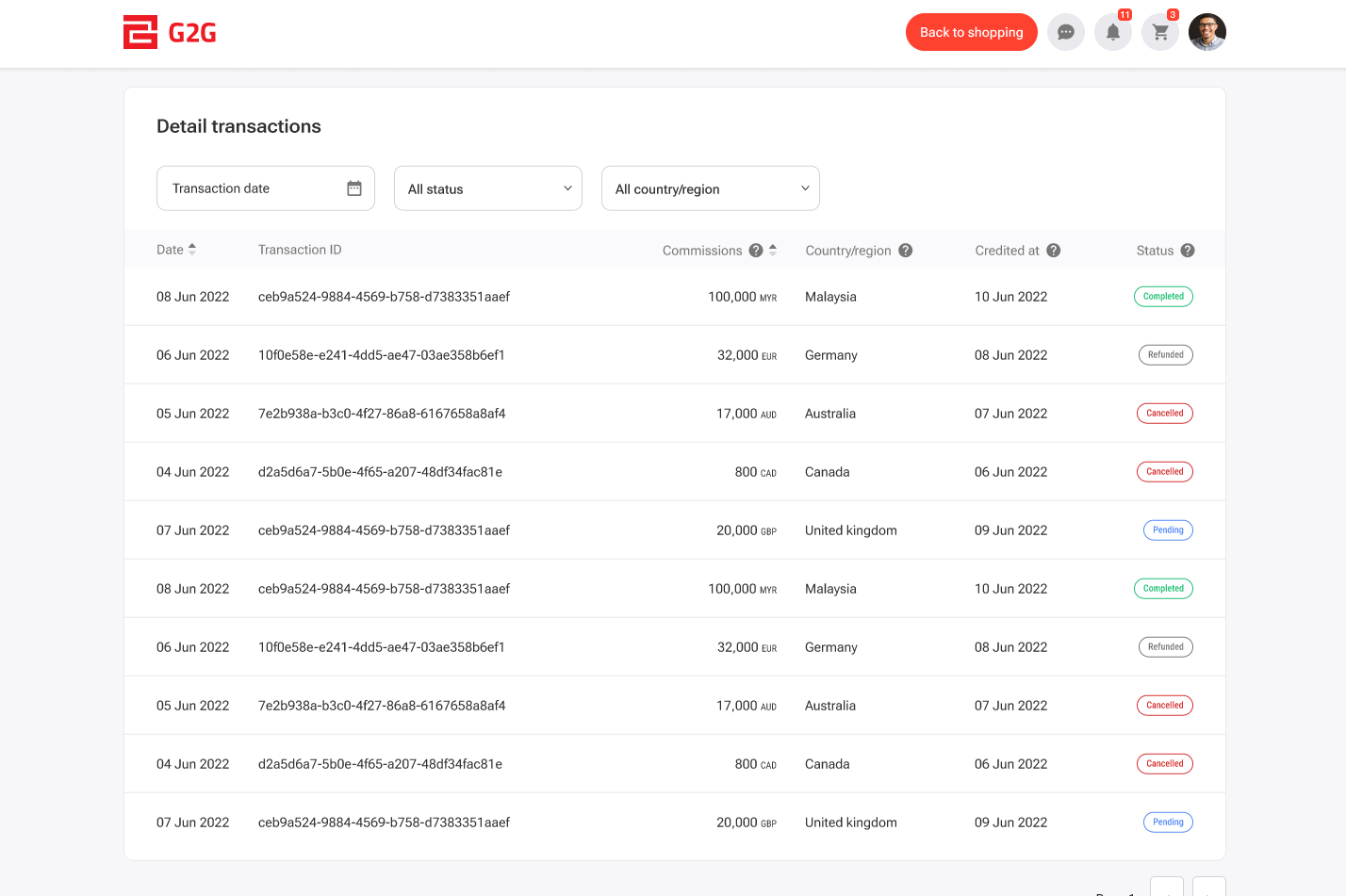
We hope this guide helps ye get the maist oot o yer G2G Affiliate Dashboard.
Ready tae start earnin as an affiliate? Sign up for the G2G Affiliate Program noo!