How To Search For Gift Card Codes?
Last updated: 30 Aug 2026
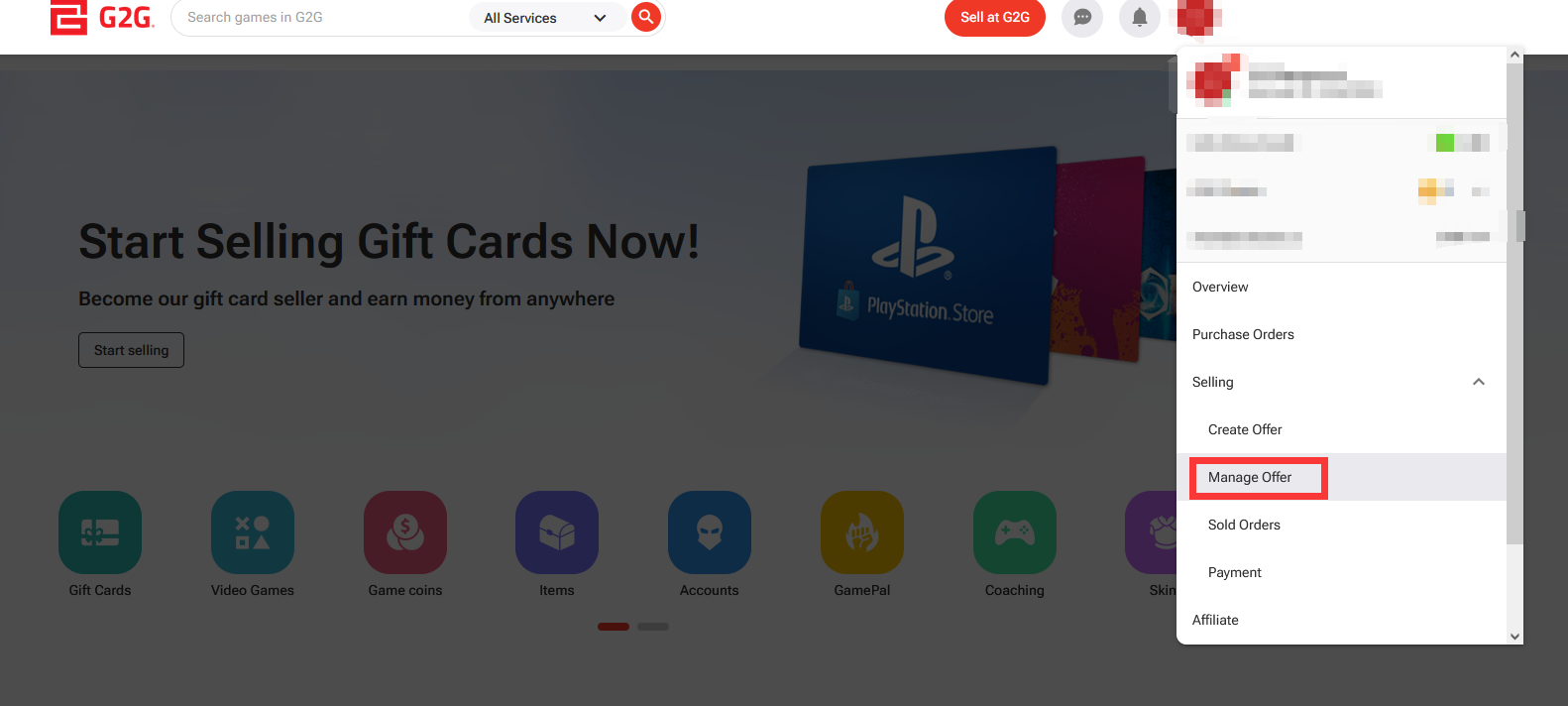
Go to the Manage Offer page to begin your search.
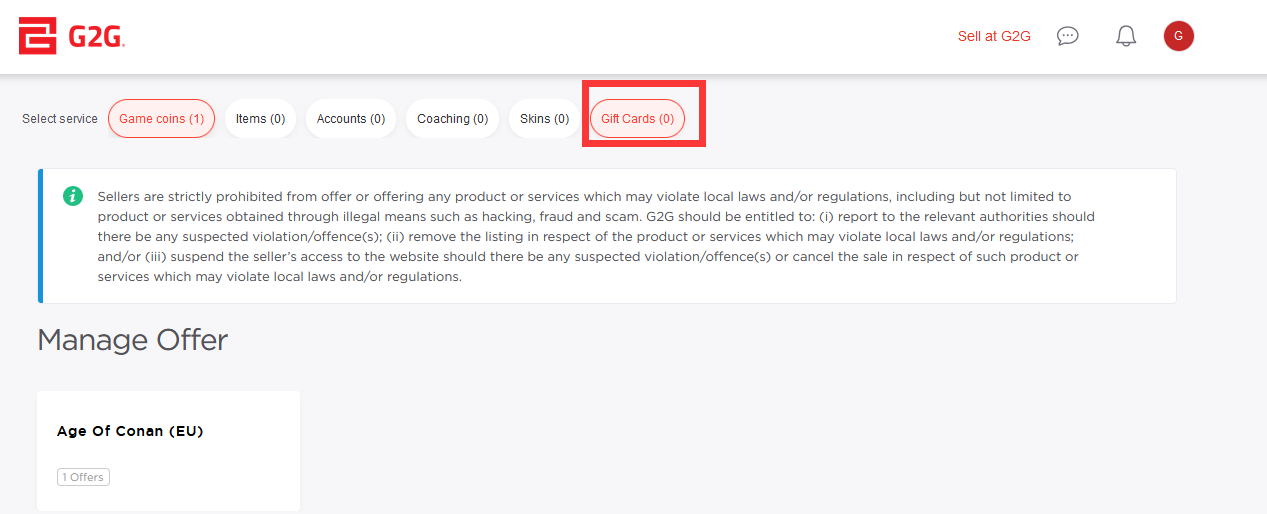
Select the Gift Cards service from the list.
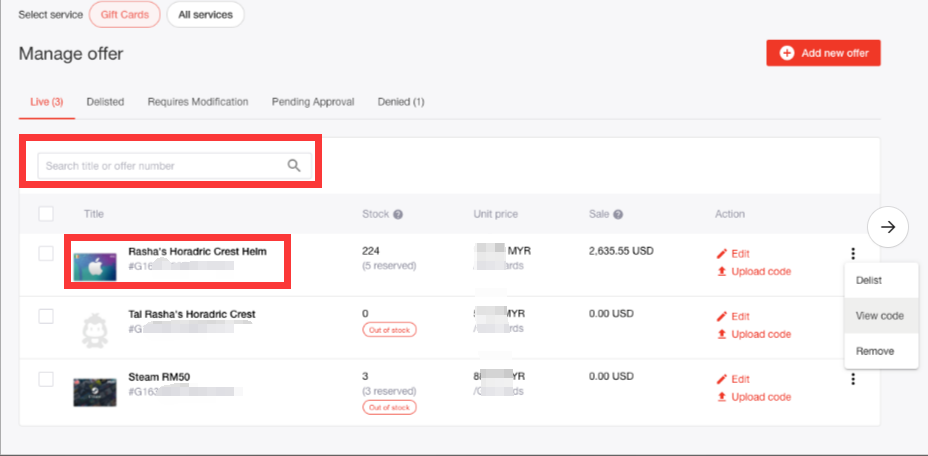
Use the search bar to find and select the product name.
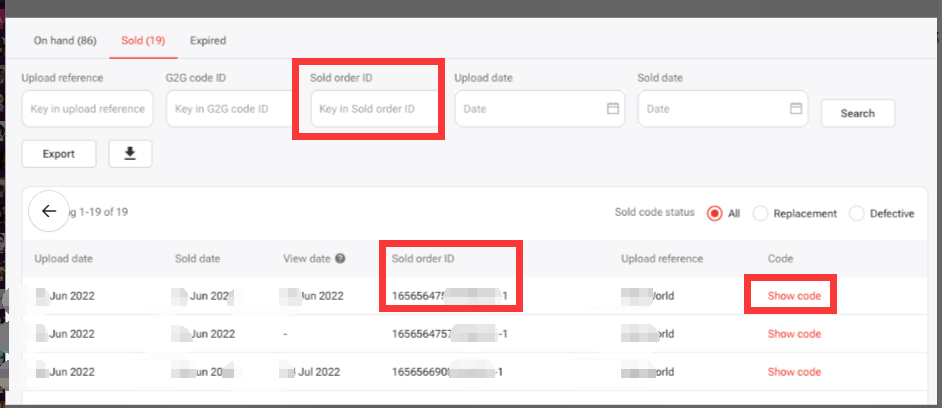
Enter the Sold Order ID to locate the specific transaction.
Click on “Show Code” to view the gift card code for the order.