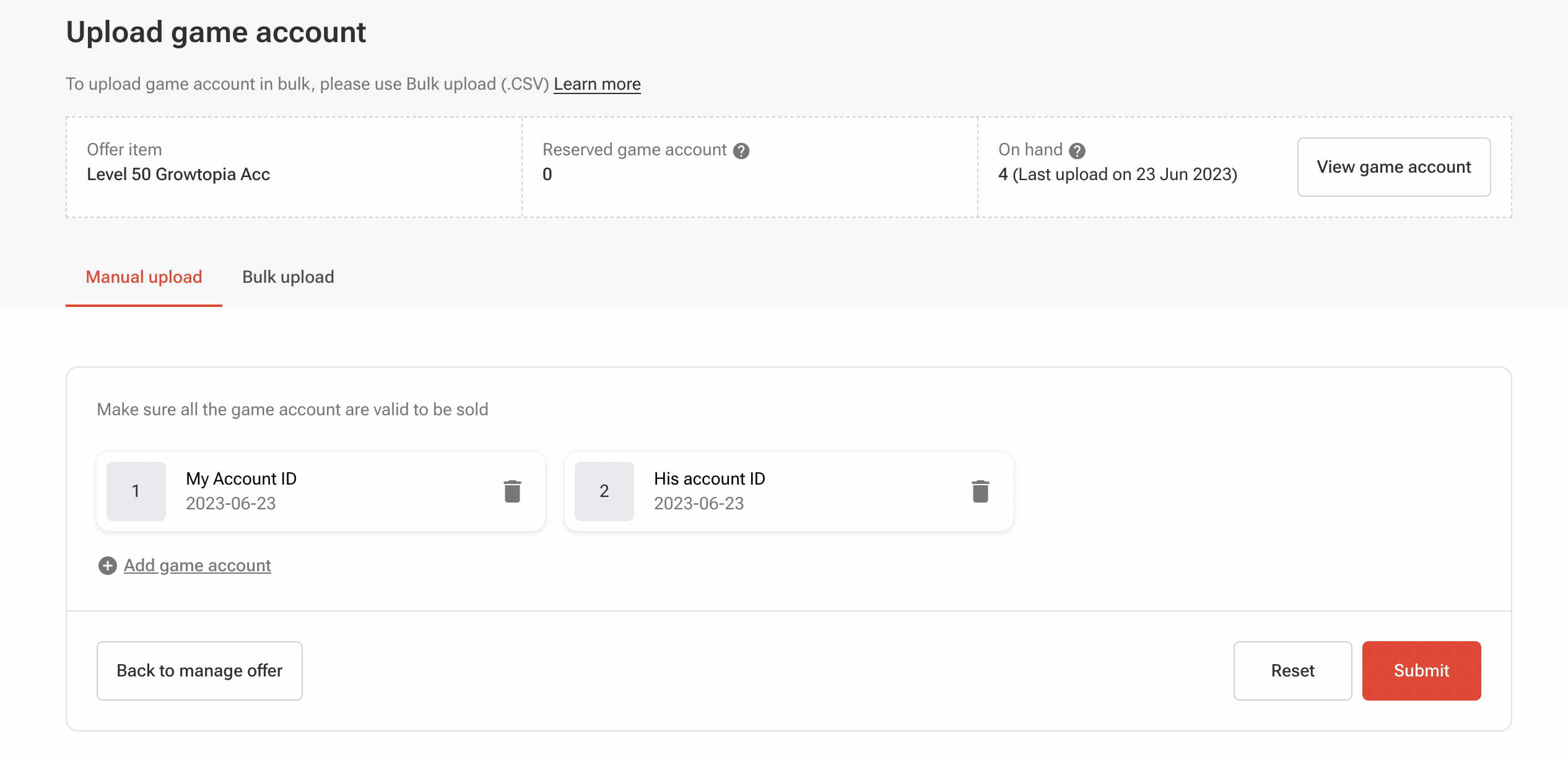
How To Upload Game Accounts?
Last updated: 17 Sep 2026
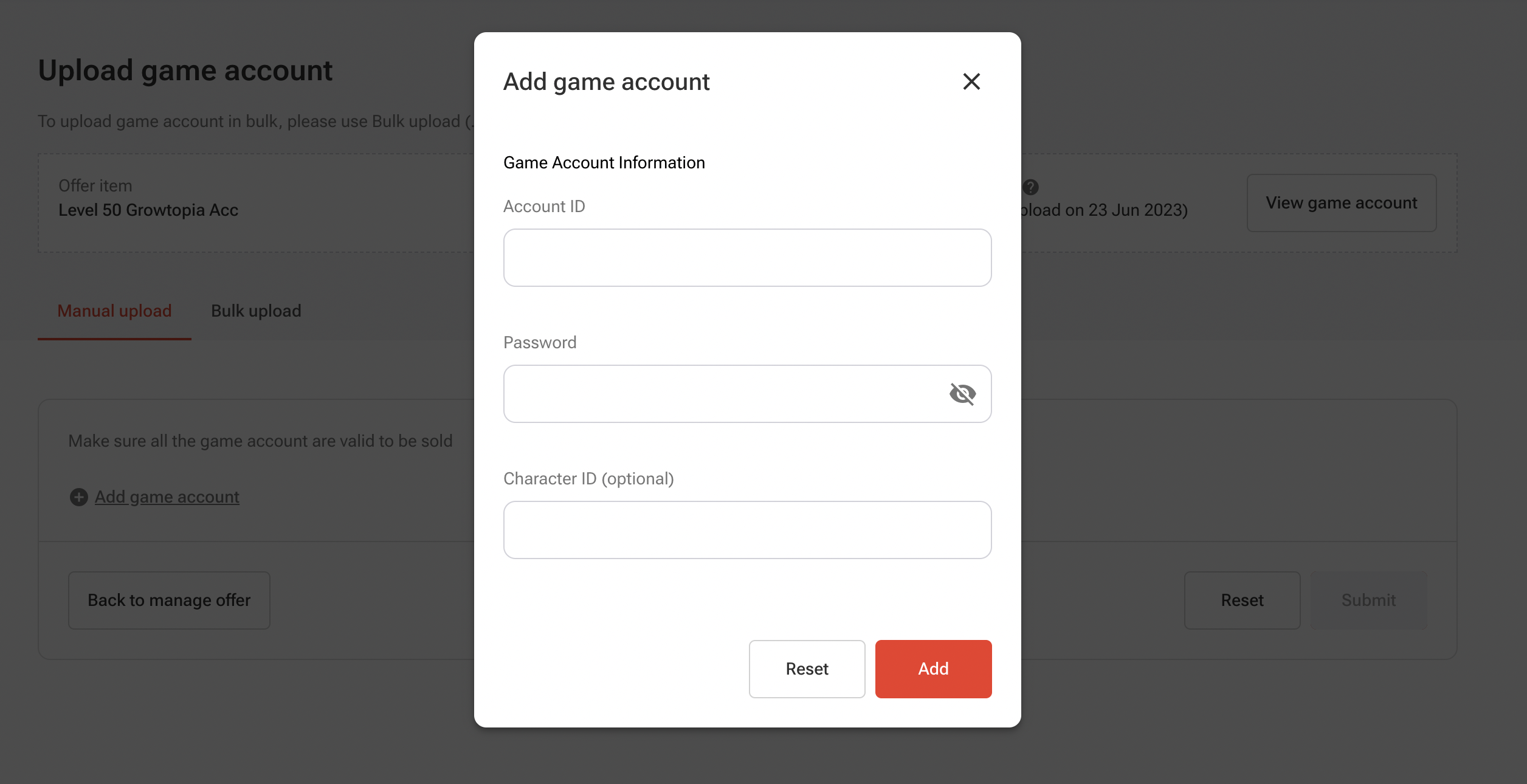
When uploading game accounts for sale, sellers may be required to provide the following information:
- Account ID (required)
- Password (required)
- Character ID (optional)
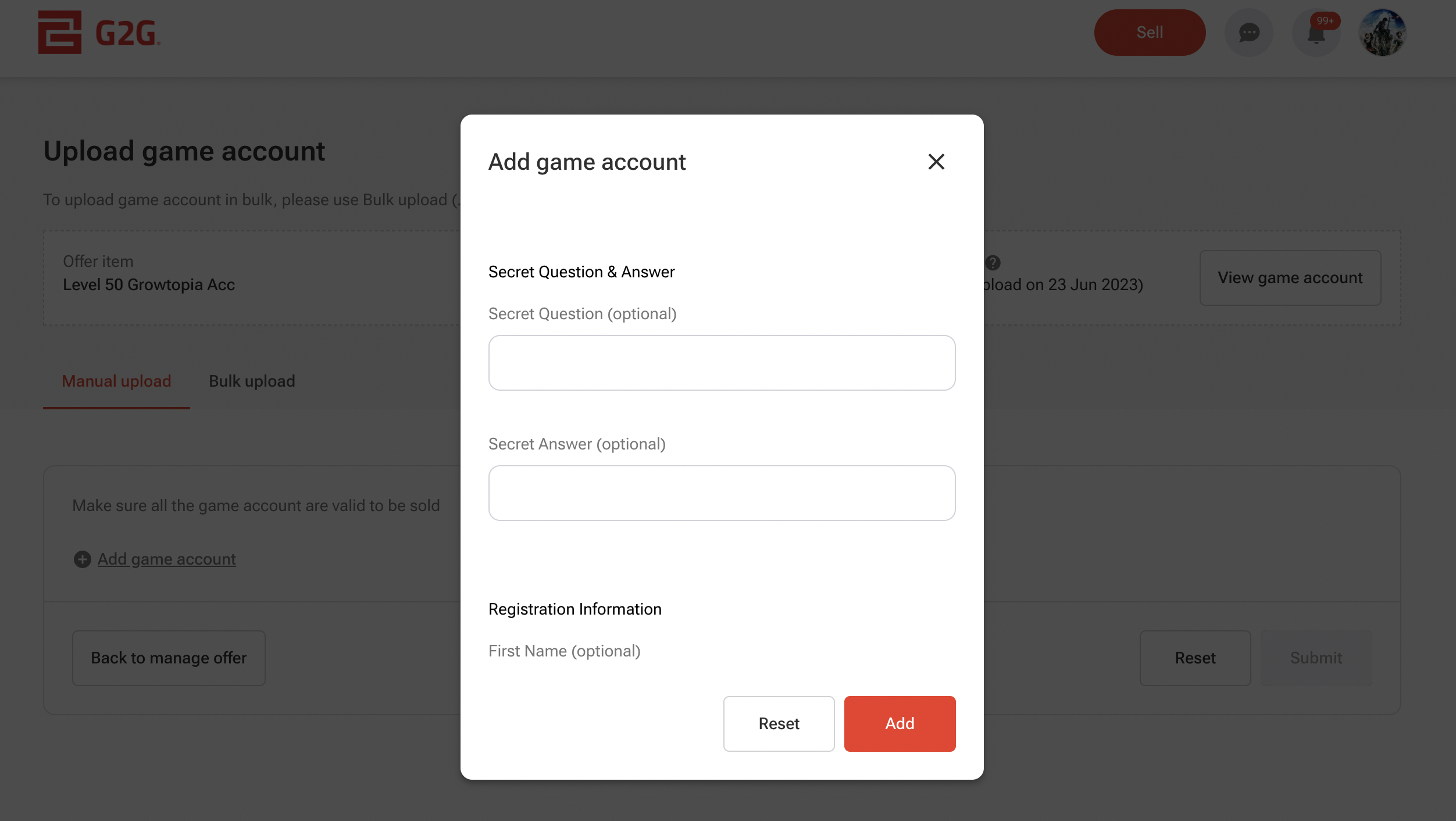
- Secret Question (optional)
- Secret Answer (optional)
- First Name (optional)
- Last Name (optional)
- Account Country (optional)
- Date of Birth (optional)
- Account Email (required)
- Email Password (required)
- Additional Note (optional)
Note: Account ID and Account Email must be unique.
If a duplicate is detected, the system will display the message:
“Accounts below already exist in your stock.”
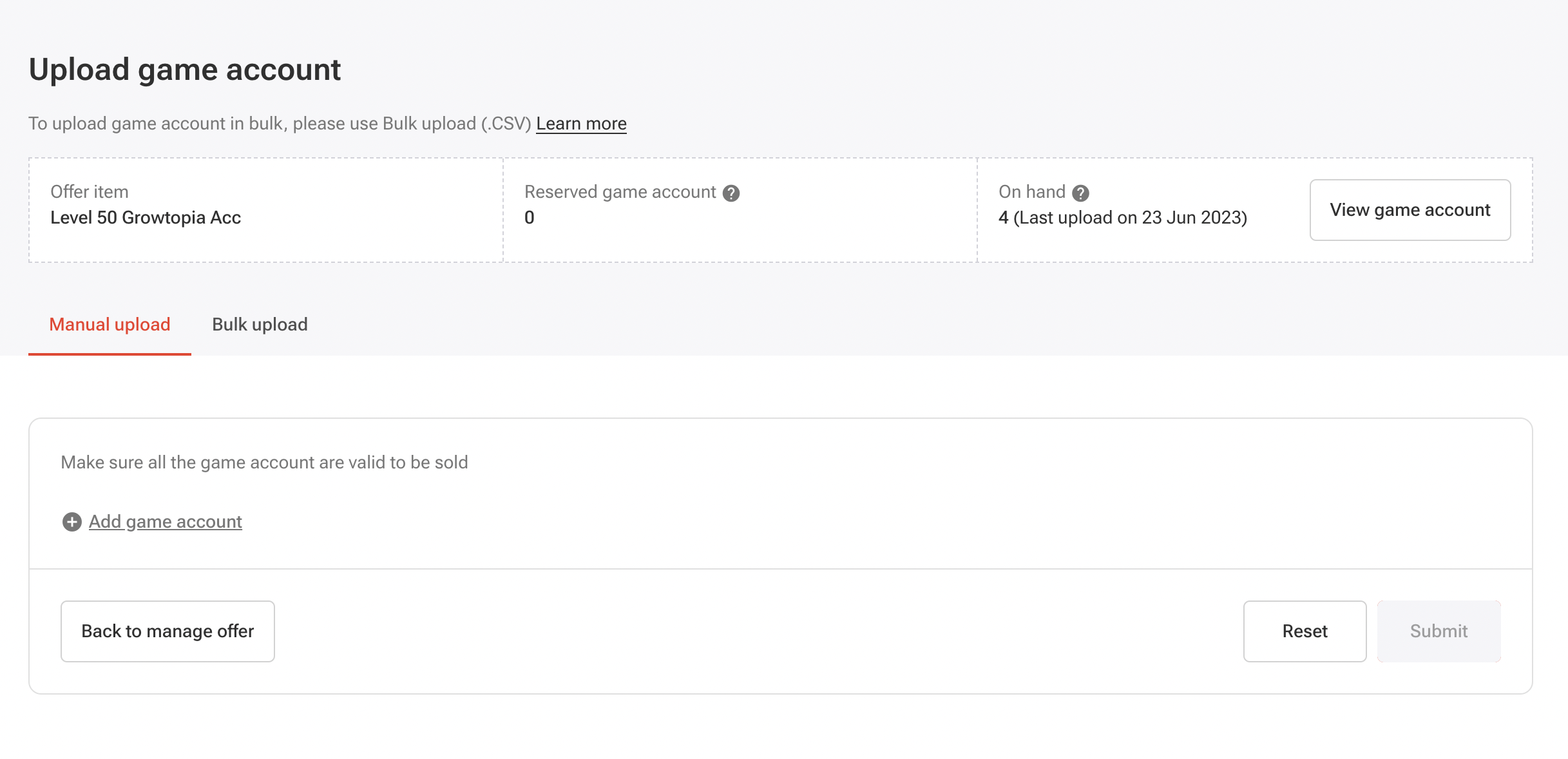
Go to the Manual Upload section and select Add Game Account.
Fill in the required game account information and click Add.
Continue to fill up the remaining account details as needed.
Make sure all accounts are valid before listing them for sale. Once verified, click Submit.