
This airticle wis AI-translated frae English. Some details michtna be perfectly accurate.
Hou tae Report Inappropriate Content via the G2G Chat System
Last updatit: 18 Aug 2026
The G2G chat system provides Bloc and Meld featuraes. When ye encounter inappropriate content or users wha violate G2G rules, we strongly recommend that ye block the user and report the incident tae G2G. Dedicated personnel frae G2G will review the report, promptly intervene, conduct an investigation, and tak the necessar actions.
Blockin a User
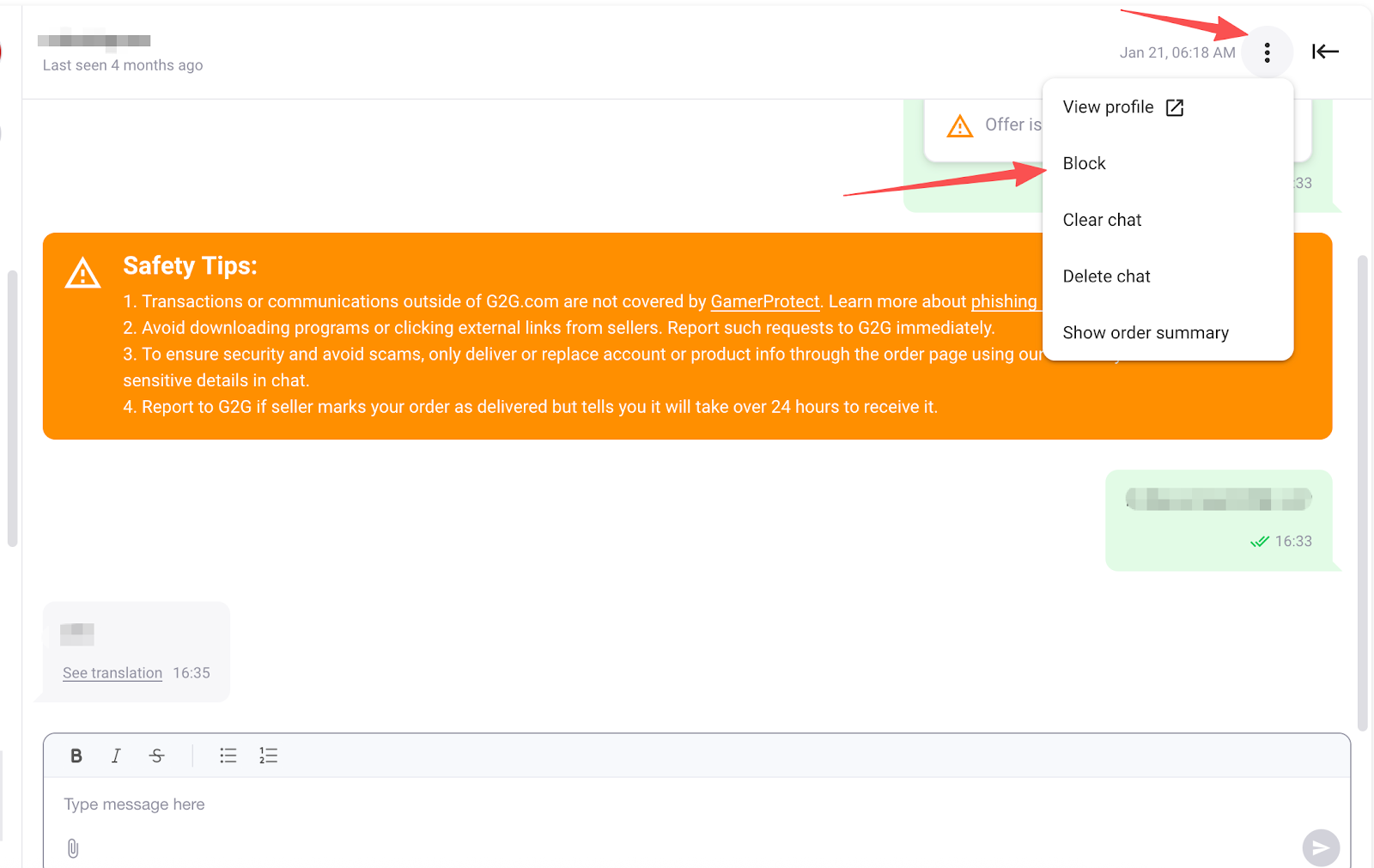
- Clike the “Mair Options” button in the top-right corner o the chat window, then select Bloc tae block the user.
- Whan blocked, the user will nae langer be able tae send ye messages or buy products frae yer listings.
Meldin a User
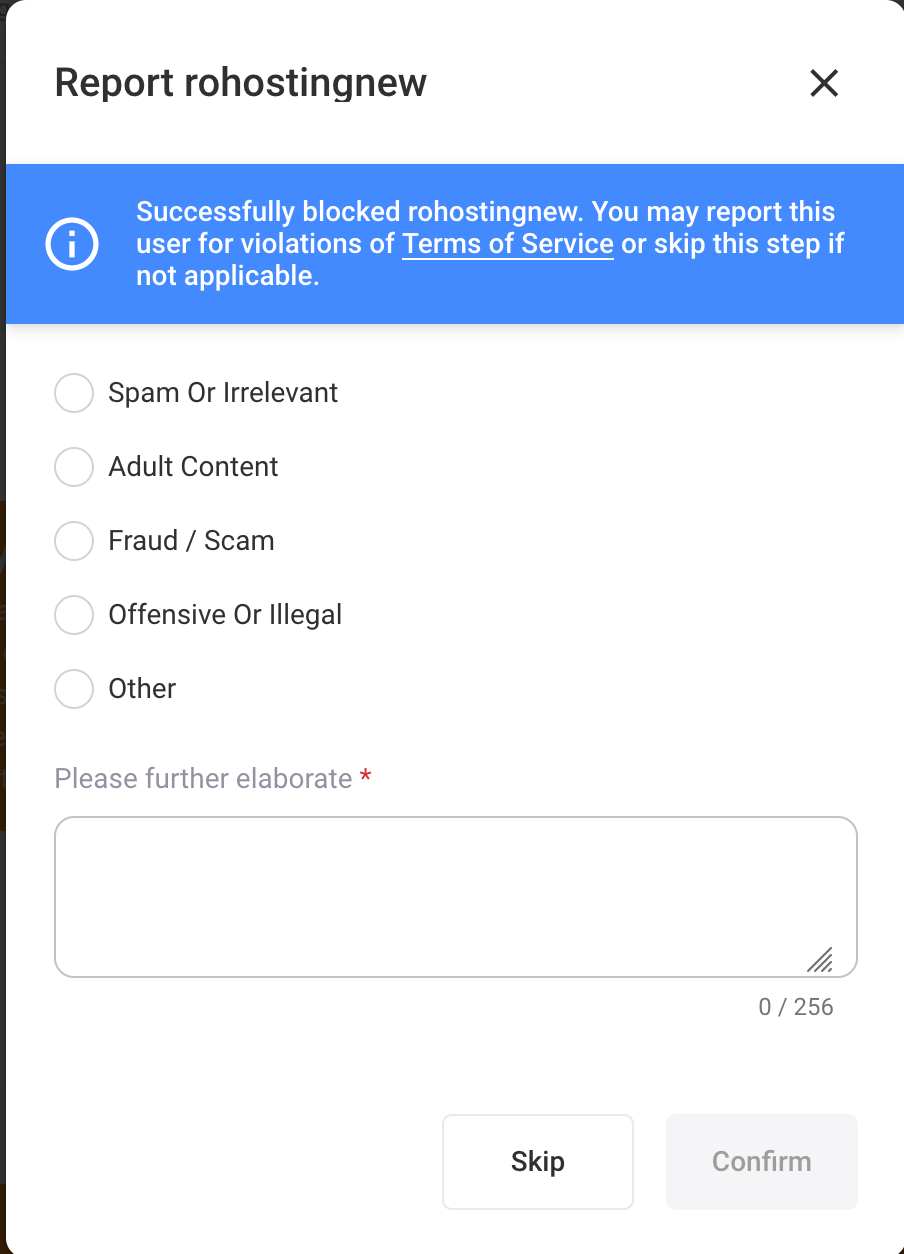
- Efter clickin the Bloc button, ye may choose tae meld the user and select the relevant reason. Whan submitted, G2G will receive the notification and begin an investigation.
- If ye only wish tae block the user withoot submitin a report, ye may select “Shank” tae bypass the reportin step.
Note: We strongly encourage users tae report inappropriate behaviour in order tae maintain a clean and safe G2G marketplace environment. Aw reporter information will be kept strictly confidential.